macOS is still one of the best environments for developers in 2026. You get a Unix-based system, strong hardware, great displays, reliable battery life, and a clean interface that stays out of the way.
But the real difference is not only the Mac itself. It is the developer workflow you build around it.
In 2026, developers are no longer just writing code. They are switching between AI coding assistants, terminals, API tools, documentation, browser tabs, tickets, notes, prompts, snippets, and quick ideas. The best developer tools for macOS are the ones that reduce this context switching and help you stay focused.
Here are some of the most useful Mac apps for developers in 2026, from code editors and terminals to quick note-taking and API testing tools.
1. Visual Studio Code
The default code editor for modern development
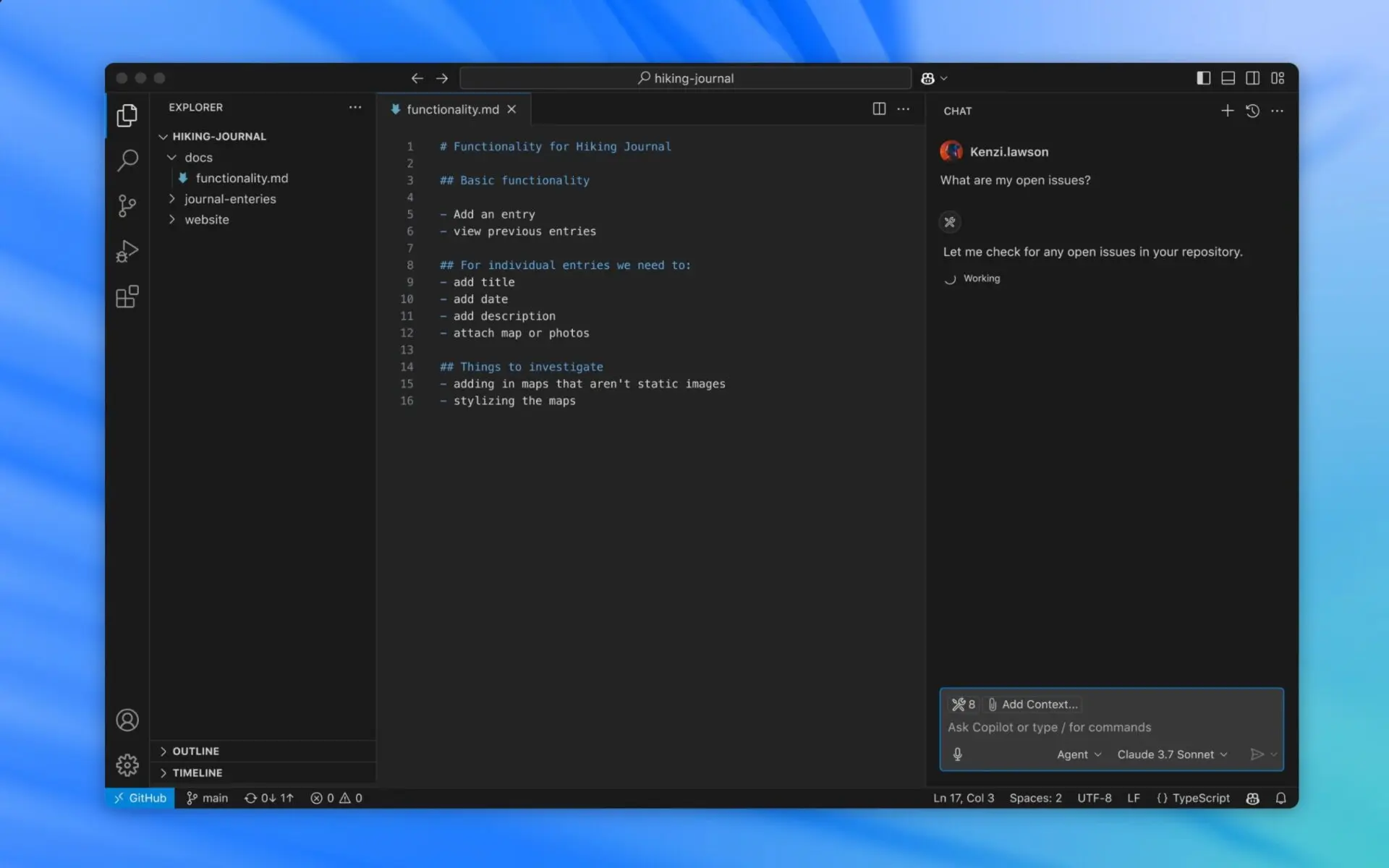
Visual Studio Code is still one of the most important developer tools for macOS in 2026. It is lightweight enough for everyday work, but powerful enough to support almost any modern stack.
Whether you write JavaScript, TypeScript, Python, Go, Swift, Rust, or work with frontend frameworks, VS Code can adapt to your workflow through extensions, themes, debugging tools, Git integration, and AI coding support.
The biggest reason VS Code remains so relevant in 2026 is how deeply AI has become part of the editor experience. GitHub Copilot in VS Code now focuses heavily on AI agents that can help plan, edit, run commands, and verify work across a project, not just complete single lines of code.
That makes VS Code more than a text editor. It becomes the main workspace where coding, debugging, AI assistance, and project navigation happen together.
For Mac users, VS Code also supports Apple Silicon builds, which helps it run smoothly on modern Macs.
Best for: Developers who want one flexible editor for almost every programming language and project type.
Why it belongs on your Mac:
- Strong extension ecosystem
- Built-in Git support
- Debugging tools
- AI coding workflow
- Fast performance on Apple Silicon
- Great for solo developers and teams
2. PeekNote
Quick notes, code snippets, prompts, and tasks always within reach
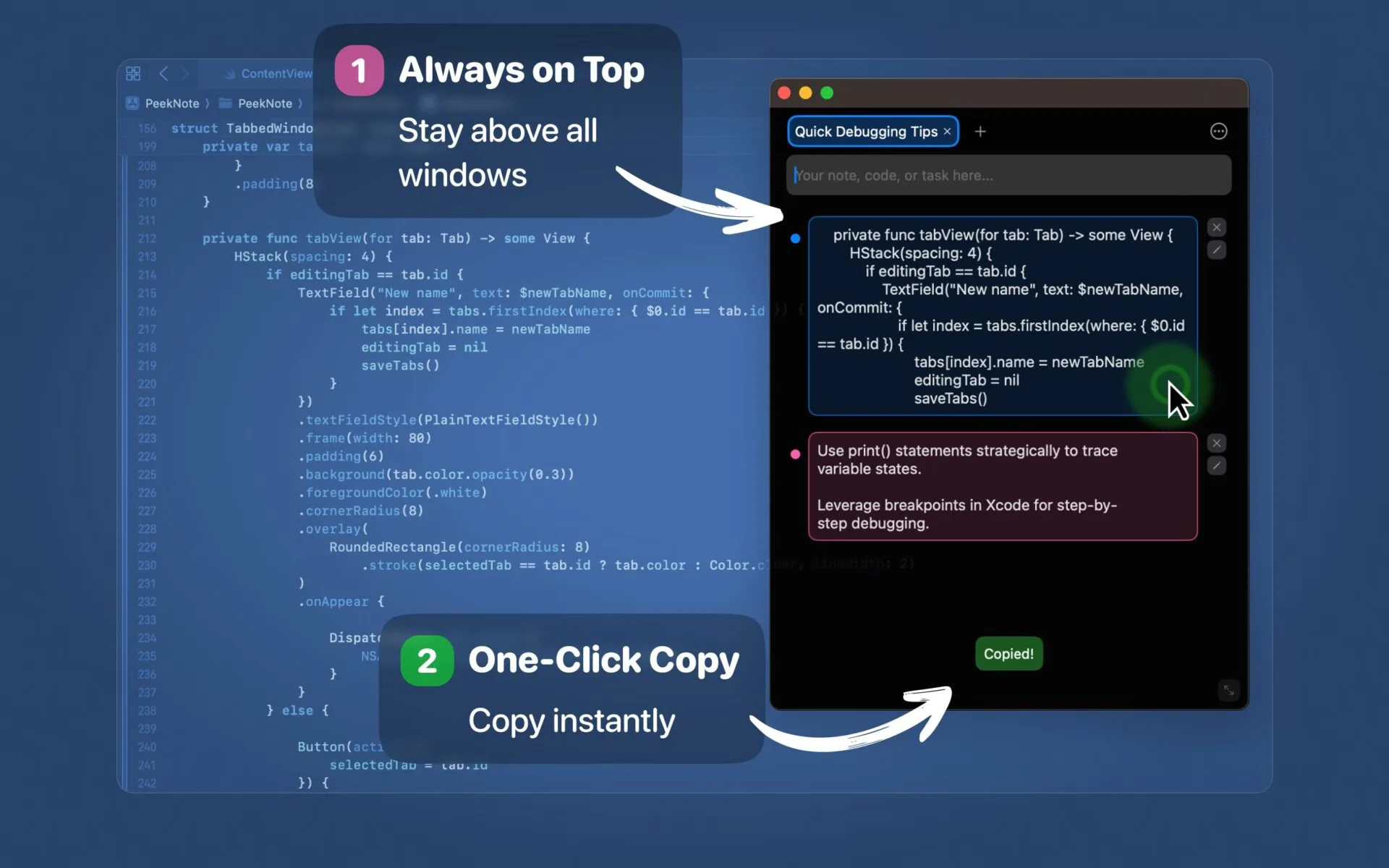
Developers rarely need another complex productivity system. Most of the time, they just need a simple place to capture small but important things: commands, code snippets, prompts, temporary tasks, bug notes, useful links, or quick ideas before they disappear.
This is where PeekNote fits perfectly into a macOS developer workflow.
PeekNote is a lightweight, always-on-top note app for macOS, built for developers who need quick access to notes, snippets, prompts, links, and small tasks while they work.
Instead of switching between large note-taking apps, folders, or browser tabs, PeekNote keeps important context visible above your workspace. This makes it useful when coding, testing APIs, reviewing Jira tickets, writing documentation, or working with AI tools.
It is especially useful for:
- saving reusable code snippets
- keeping terminal commands nearby
- drafting commit messages
- storing AI prompts
- collecting debugging links
- keeping a short task list visible
- copying repeated text faster
PeekNote is not meant to replace Notion, Obsidian, or Apple Notes. It is built for small, practical notes developers use during active work.
Best for: Developers, indie hackers, product builders, technical writers, and Mac users who want fast notes without clutter.
Why it belongs on your Mac: it reduces context switching, keeps useful information visible, and stays simple enough to use every day.
3. iTerm2
A better terminal for serious Mac users
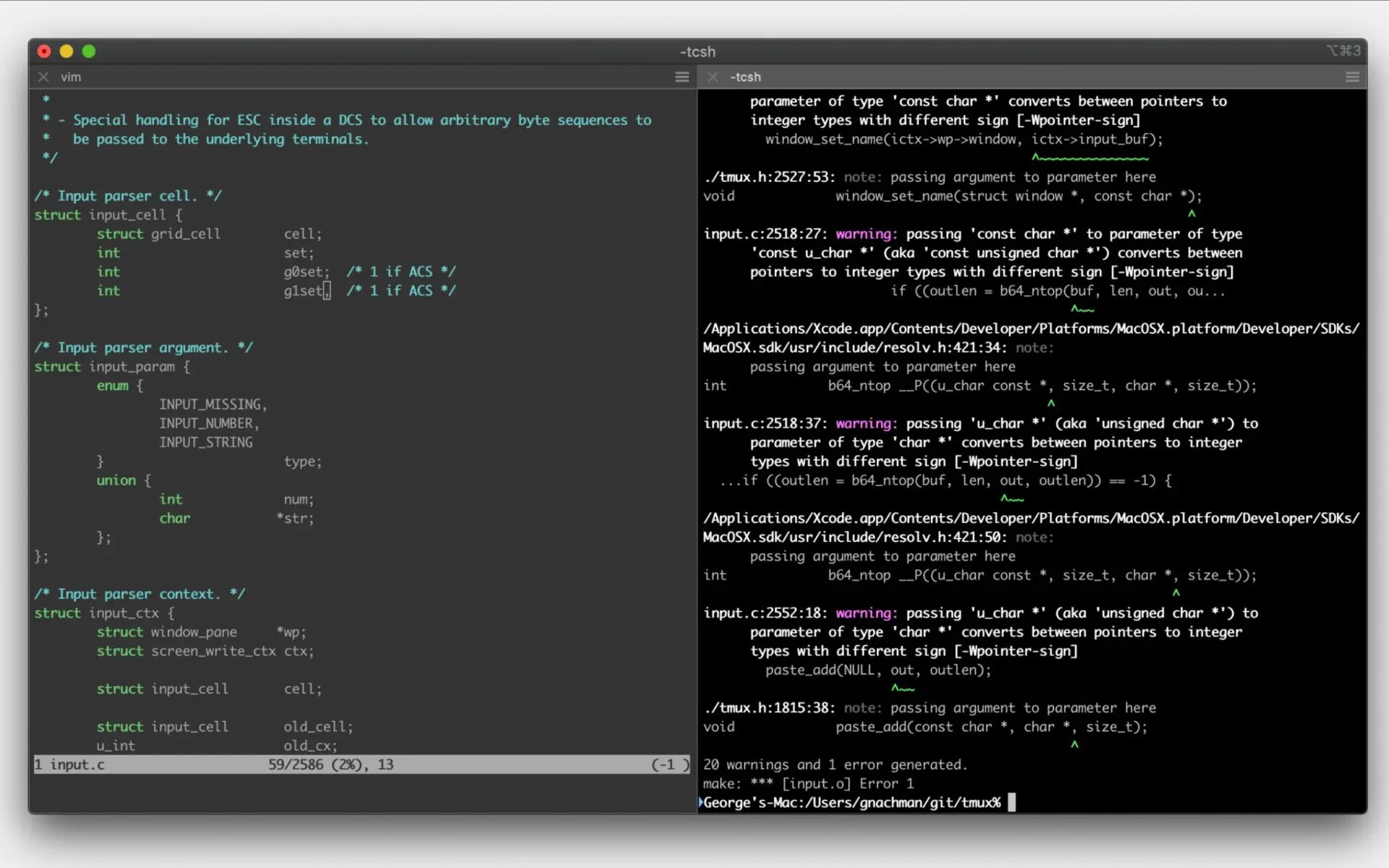
The default macOS Terminal is fine for basic commands. But if you spend a lot of time in the command line, iTerm2 is still one of the best terminal apps for Mac developers.
iTerm2 gives you a more powerful and customizable terminal experience. It supports split panes, so you can run multiple terminal sessions inside one tab. According to the official documentation, you can split sessions vertically or horizontally, navigate between panes, and maximize the active pane when you need more space.
This is useful when you are running a local server, watching logs, working with Git, using Docker, connecting to a remote machine, or testing scripts.
Another strong feature is the hotkey window. iTerm2 can appear with a keyboard shortcut from anywhere, which makes your terminal feel instantly available without searching through open windows.
Best for: Developers who use the command line every day.
Why it belongs on your Mac:
- Split panes
- Hotkey terminal window
- Search inside terminal output
- Session customization
- Better workflow for local development
- Useful for servers, logs, Docker, and Git
Once you get used to iTerm2, going back to the default Terminal feels limiting.
4. Postman
The API workspace every developer eventually needs
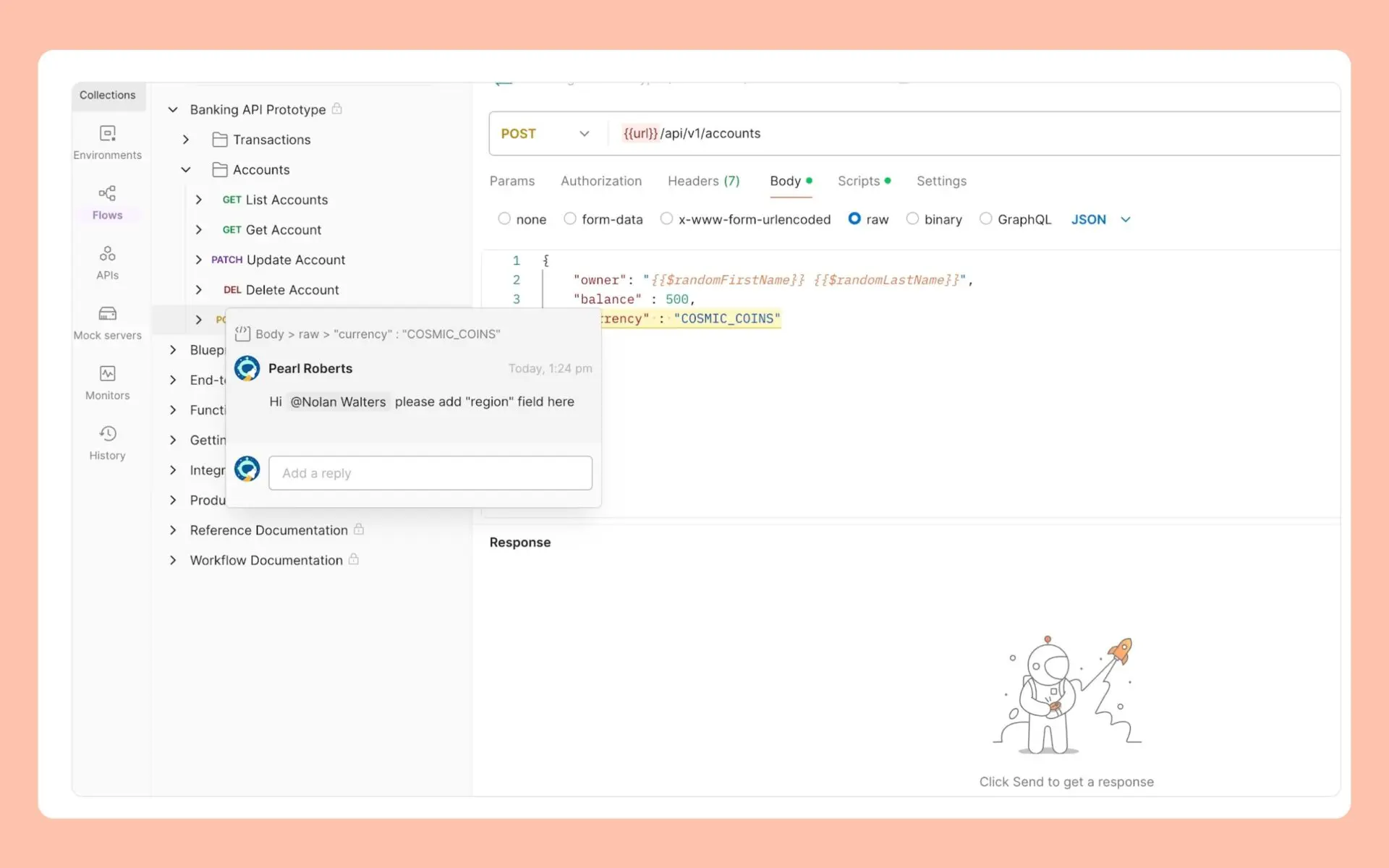
Almost every modern product depends on APIs. Even if you are mainly a frontend developer, mobile developer, product engineer, or indie maker, you will eventually need to test requests, inspect responses, debug authentication, or share API examples.
Postman remains one of the strongest API tools for macOS in 2026. It is not just a request testing app anymore. Postman describes itself as an API platform for building, testing, and managing APIs across the API lifecycle.
You can organize requests into collections, manage environments, document endpoints, automate tests, and collaborate with a team. For developers who work with APIs often, this saves a lot of time compared to manually testing everything in the browser or terminal.
The Postman CLI also lets teams run collections and test scripts from the terminal or CI/CD systems, which makes it useful beyond local testing.
Best for: Developers building, testing, debugging, or documenting APIs.
Why it belongs on your Mac:
- Easy API request testing
- Collections and environments
- API documentation tools
- Automated testing
- CLI support
- Useful for backend, frontend, mobile, and QA workflows
If your work touches APIs, Postman is still one of the most practical tools to keep installed.
5. Homebrew
The package manager every Mac developer should install first
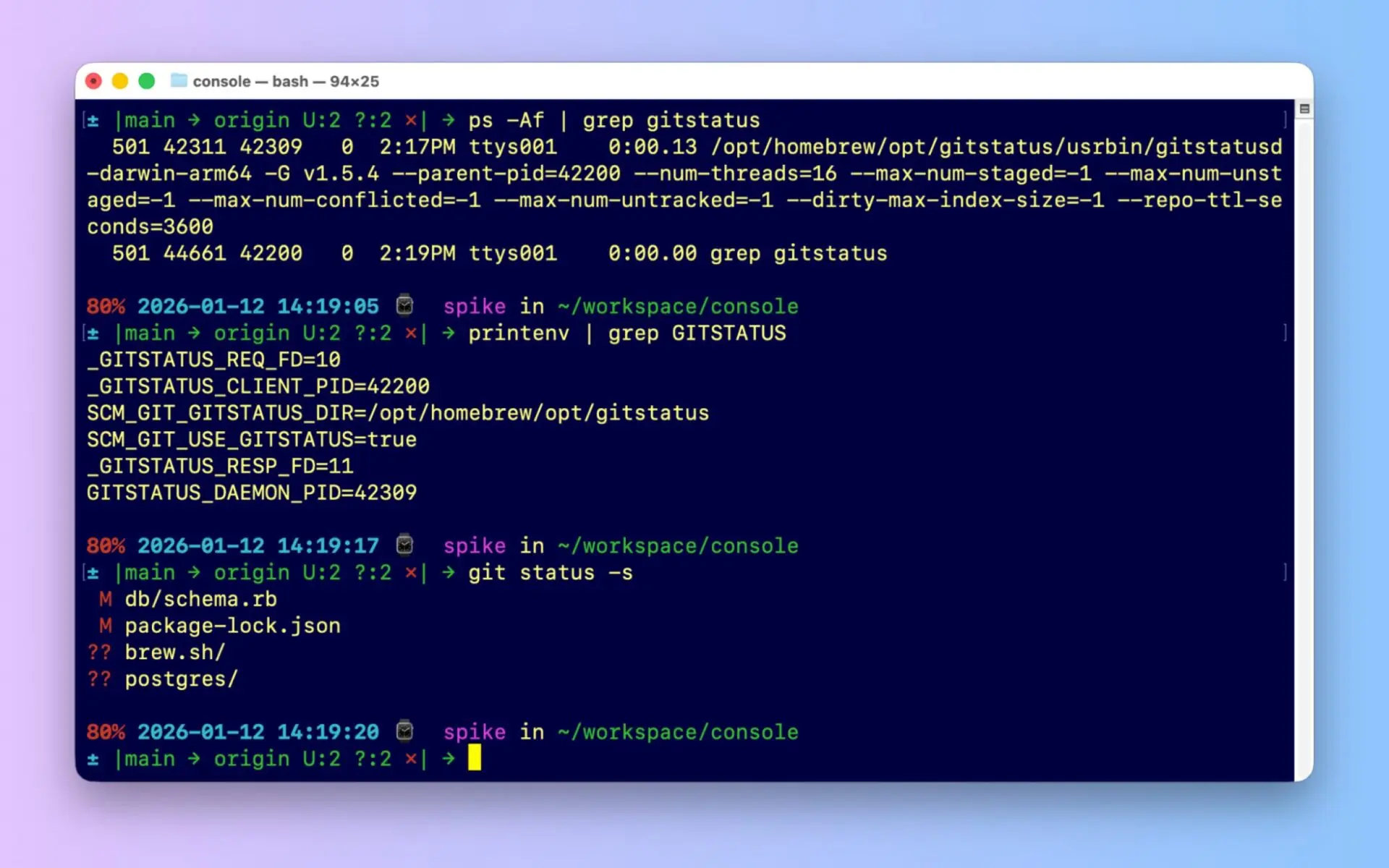
Homebrew is one of the first tools many developers install on a new Mac, and for good reason.
It makes it easier to install command-line tools, developer utilities, runtimes, databases, and apps that Apple does not include by default. The official Homebrew site describes it as the package manager that installs “the stuff you need” on macOS or Linux.
With Homebrew, installing tools becomes simple:
brew install nodebrew install gitbrew install wgetbrew install --cask visual-studio-code
For developers, this is not just convenience. It makes your Mac easier to set up, maintain, and reproduce.
Best for: Anyone setting up a serious development environment on macOS.
Why it belongs on your Mac:
- Fast installation of developer tools
- Easy updates
- Great for command-line utilities
- Useful for setting up new machines
- Works well with modern macOS developer workflows
If you are building software on a Mac, Homebrew is almost essential.
6. Raycast
A faster way to control your Mac
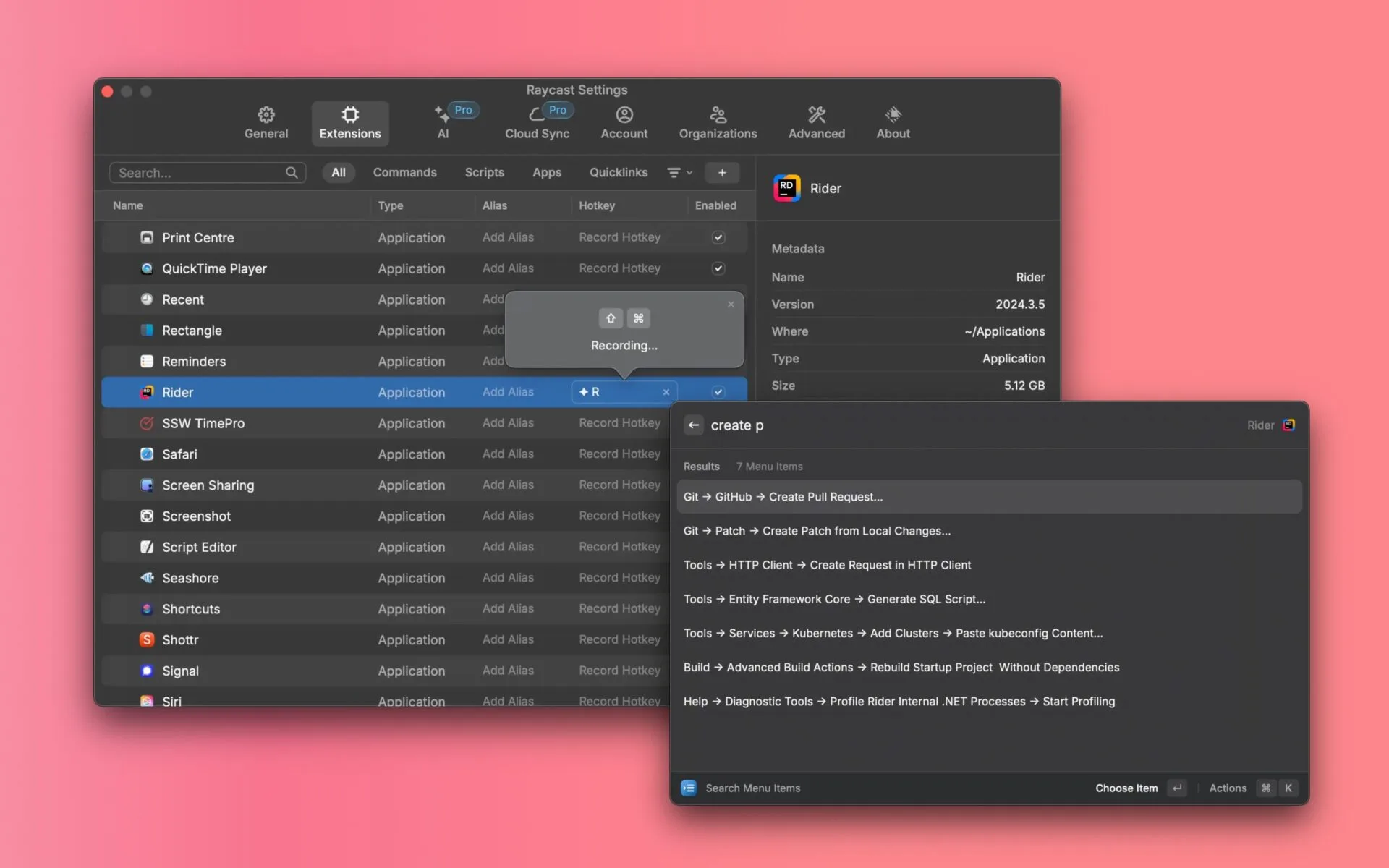
Raycast is one of the best productivity apps for developers who prefer keyboard-driven workflows.
It works as an extendable launcher and gives you quick access to apps, commands, tools, snippets, search, window management, and many other actions. Raycast describes itself as “your shortcut to everything” and a collection of productivity tools inside an extendable launcher.
For developers, the value is speed. You can open apps, search docs, trigger scripts, manage windows, access clipboard history, and use extensions without leaving the keyboard.
Raycast also fits well into a modern AI-assisted workflow because it can connect productivity actions, extensions, and quick commands into one interface.
Best for: Developers who want to move faster around macOS.
Why it belongs on your Mac:
- Fast app launcher
- Keyboard-first workflow
- Extensions
- Clipboard and snippet workflows
- Window management
- Useful for automation and daily productivity
It is one of those tools that feels small at first, then becomes hard to live without.
How these tools work together
The best developer setup is not about installing dozens of apps. It is about choosing tools that cover the main parts of your daily workflow without adding more noise.
A strong macOS developer workflow in 2026 can look like this:
- VS Code for writing, editing, debugging, and working with AI coding tools
- PeekNote for quick notes, snippets, prompts, links, and visible task context
- iTerm2 for terminal work, logs, scripts, and local development
- Postman for API testing, documentation, and automation
- Homebrew for installing and managing developer tools
- Raycast for faster navigation, commands, and Mac productivity
Each app solves a different problem. Together, they create a smoother development environment.
Final thoughts
The best developer tools for macOS in 2026 are not just the most powerful ones. They are the ones that help you stay focused, reduce context switching, and keep your workflow clean.
VS Code gives you a flexible coding environment.
iTerm2 gives you a better terminal.
Postman helps you work with APIs.
Homebrew makes your Mac easier to set up.
Raycast helps you move faster.
And PeekNote gives you a lightweight place for the small but important notes, snippets, tasks, and prompts that support your daily work.
If you are building software on a Mac, this is a strong toolkit to start with.
And if your current notes workflow feels too heavy for quick developer thoughts, try adding PeekNote to your setup. Sometimes the best productivity upgrade is not another complex system. It is a small app that stays exactly where you need it.
FAQ
Some of the best developer tools for macOS in 2026 include Visual Studio Code, PeekNote, iTerm2, Postman, Homebrew, and Raycast. Together, they cover the core parts of a modern developer workflow: coding, terminal work, API testing, package management, productivity, and quick note-taking.
Visual Studio Code is still one of the most popular code editors for Mac developers. It supports many programming languages, has a large extension marketplace, includes built-in Git tools, and works well with AI coding assistants.
Developers often need to save small pieces of information while working: code snippets, terminal commands, API endpoints, prompts, bug notes, links, and quick tasks. A lightweight note app helps keep this information visible without opening a large knowledge base or switching between many tabs.
Yes. PeekNote is useful for developers because it provides a simple always-on-top space for quick notes, snippets, reusable text, prompts, links, and tasks. It is especially helpful when coding, debugging, testing APIs, writing documentation, or working with AI tools.
iTerm2 is one of the best terminal apps for macOS. It offers split panes, hotkey windows, search, session management, and deep customization, making it more powerful than the default macOS Terminal for many developers.
Homebrew is highly recommended for developers on macOS. It makes it easy to install and manage command-line tools, programming languages, databases, utilities, and desktop apps from the terminal.
Read More
[{"id":4680,"link":"https:\/\/typeswitch.net\/blog\/design-tokens-generator\/","name":"design-tokens-generator","thumbnail":{"url":"https:\/\/typeswitch.net\/wp-content\/uploads\/2026\/07\/visualsnag-catch-style-from-website-or-visual-reference.jpg","alt":"catch-style-from-website-or-visual-reference"},"title":"How to Generate Design Tokens From a Website Screenshot","postMeta":[],"author":{"name":"Babenko Maksym","link":"https:\/\/typeswitch.net\/blog\/author\/max-babenko\/"},"date":"\u041b\u0438\u043f 23, 2026","dateGMT":"2026-07-23 08:06:56","modifiedDate":"2026-07-23 08:30:46","modifiedDateGMT":"2026-07-23 08:30:46","commentCount":"0","commentStatus":"closed","categories":{"coma":"<a href=\"https:\/\/typeswitch.net\/blog\/category\/visualsnag\/\" rel=\"category tag\">VisualSnag<\/a>","space":"<a href=\"https:\/\/typeswitch.net\/blog\/category\/visualsnag\/\" rel=\"category tag\">VisualSnag<\/a>"},"taxonomies":{"post_tag":""},"readTime":{"min":6,"sec":34},"status":"publish","content":"Creating a consistent interface is much easier when visual decisions are written down as reusable rules. Those rules are called"},{"id":4524,"link":"https:\/\/typeswitch.net\/blog\/best-language-switcher-macos\/","name":"best-language-switcher-macos","thumbnail":{"url":"https:\/\/typeswitch.net\/wp-content\/uploads\/2024\/11\/Type-Switch-Personalize-Your-Button.png","alt":"Minimalist design of Type Switch app for language changes on macOS."},"title":"Best Language Switcher for macOS in 2026: Type Switch for Multilingual Typing","postMeta":[],"author":{"name":"Babenko Maksym","link":"https:\/\/typeswitch.net\/blog\/author\/max-babenko\/"},"date":"\u0422\u0440\u0430 17, 2026","dateGMT":"2026-05-17 13:47:43","modifiedDate":"2026-05-17 13:56:53","modifiedDateGMT":"2026-05-17 13:56:53","commentCount":"0","commentStatus":"closed","categories":{"coma":"<a href=\"https:\/\/typeswitch.net\/blog\/category\/uncategorized\/\" rel=\"category tag\">Uncategorized<\/a>","space":"<a href=\"https:\/\/typeswitch.net\/blog\/category\/uncategorized\/\" rel=\"category tag\">Uncategorized<\/a>"},"taxonomies":{"post_tag":""},"readTime":{"min":7,"sec":17},"status":"publish","content":"Working with multiple languages on your Mac should feel natural. But for many people, switching keyboard languages is still one"},{"id":4510,"link":"https:\/\/typeswitch.net\/blog\/best-developer-tools-macos-2026\/","name":"best-developer-tools-macos-2026","thumbnail":{"url":"https:\/\/typeswitch.net\/wp-content\/uploads\/2026\/05\/Preview_1_en.jpg","alt":"quick notes app for Mac"},"title":"Best Developer Tools for macOS in 2026: Essential Mac Apps for Coding","postMeta":[],"author":{"name":"Babenko Maksym","link":"https:\/\/typeswitch.net\/blog\/author\/max-babenko\/"},"date":"\u0422\u0440\u0430 17, 2026","dateGMT":"2026-05-17 07:32:59","modifiedDate":"2026-05-17 07:46:13","modifiedDateGMT":"2026-05-17 07:46:13","commentCount":"0","commentStatus":"closed","categories":{"coma":"<a href=\"https:\/\/typeswitch.net\/blog\/category\/uncategorized\/\" rel=\"category tag\">Uncategorized<\/a>","space":"<a href=\"https:\/\/typeswitch.net\/blog\/category\/uncategorized\/\" rel=\"category tag\">Uncategorized<\/a>"},"taxonomies":{"post_tag":""},"readTime":{"min":9,"sec":1},"status":"publish","content":"macOS is still one of the best environments for developers in 2026. You get a Unix-based system, strong hardware, great"},{"id":4402,"link":"https:\/\/typeswitch.net\/blog\/confluence-public-links-alternative\/","name":"confluence-public-links-alternative","thumbnail":{"url":"https:\/\/typeswitch.net\/wp-content\/uploads\/2026\/05\/Confluence-public-links-alternative.png","alt":"Illustration showing Confluence pages published to the public web with Public Pages for Confluence"},"title":"Confluence Public Links Alternative: Publish Pages with SEO, Branding and Custom Domains","postMeta":[],"author":{"name":"Babenko Maksym","link":"https:\/\/typeswitch.net\/blog\/author\/max-babenko\/"},"date":"\u0422\u0440\u0430 8, 2026","dateGMT":"2026-05-08 16:02:11","modifiedDate":"2026-05-08 17:59:18","modifiedDateGMT":"2026-05-08 17:59:18","commentCount":"0","commentStatus":"closed","categories":{"coma":"<a href=\"https:\/\/typeswitch.net\/blog\/category\/atlassian\/\" rel=\"category tag\">Atlassian<\/a>","space":"<a href=\"https:\/\/typeswitch.net\/blog\/category\/atlassian\/\" rel=\"category tag\">Atlassian<\/a>"},"taxonomies":{"post_tag":""},"readTime":{"min":7,"sec":27},"status":"publish","content":"By Maksym Babenko \u00b7 ~5 min read \u00b7 May 8, 2026 Confluence public links are useful when you need to share a page"}]