Working with multiple languages on your Mac should feel natural. But for many people, switching keyboard languages is still one of those small daily frustrations that breaks focus.
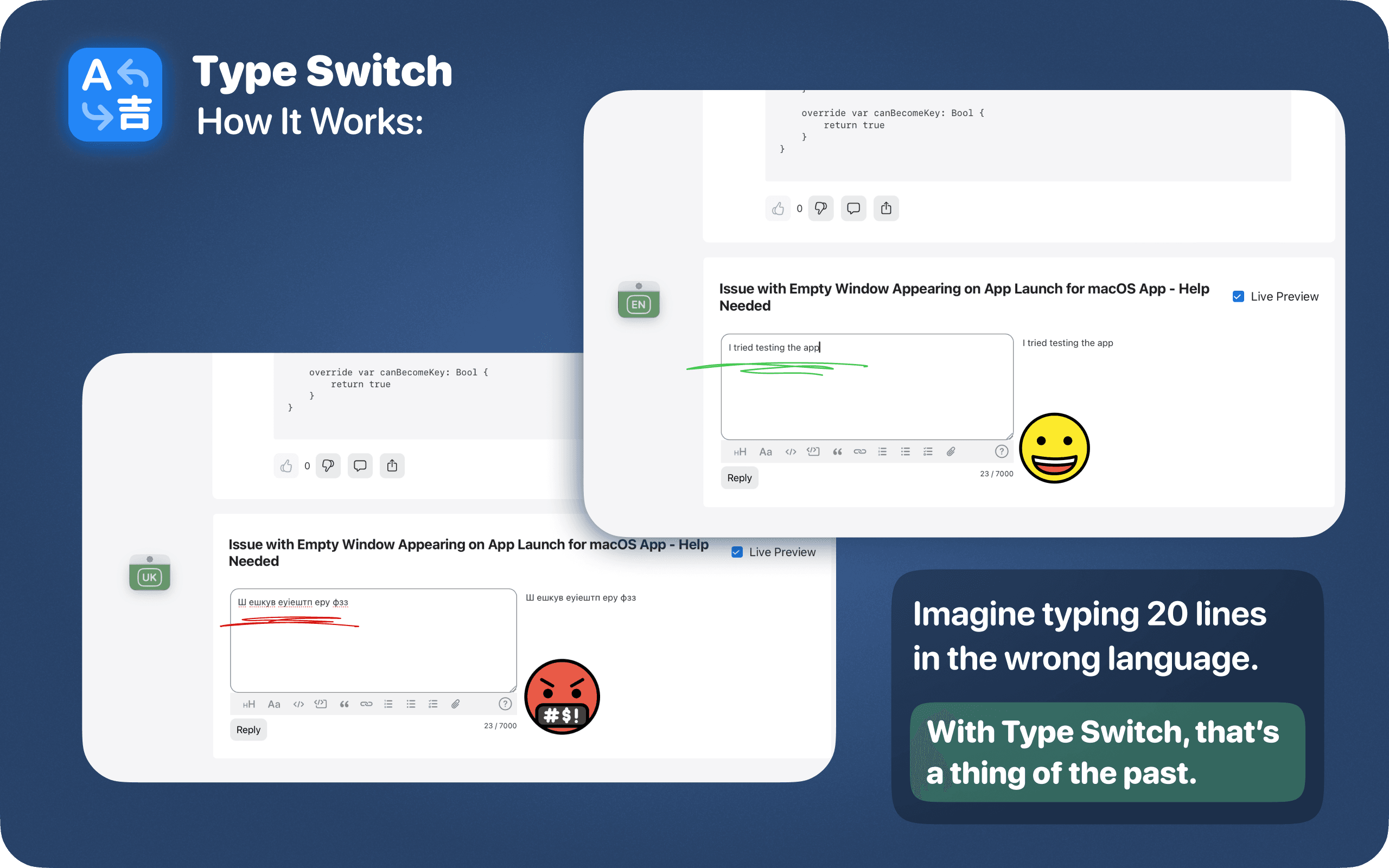
You start writing an email in English, then need to answer a message in Spanish. You switch to coding, then write a comment in another language. You open a document, a chat, a browser tab, or a translation tool, and suddenly you are typing in the wrong keyboard layout again.
macOS has built-in input language switching, but it is not always fast, visible, or convenient enough for people who type in multiple languages every day.
That is exactly why Type Switch was created.
Type Switch is a simple and powerful language switcher for macOS that helps you change keyboard languages faster, see the current input language clearly, and avoid typing in the wrong layout.
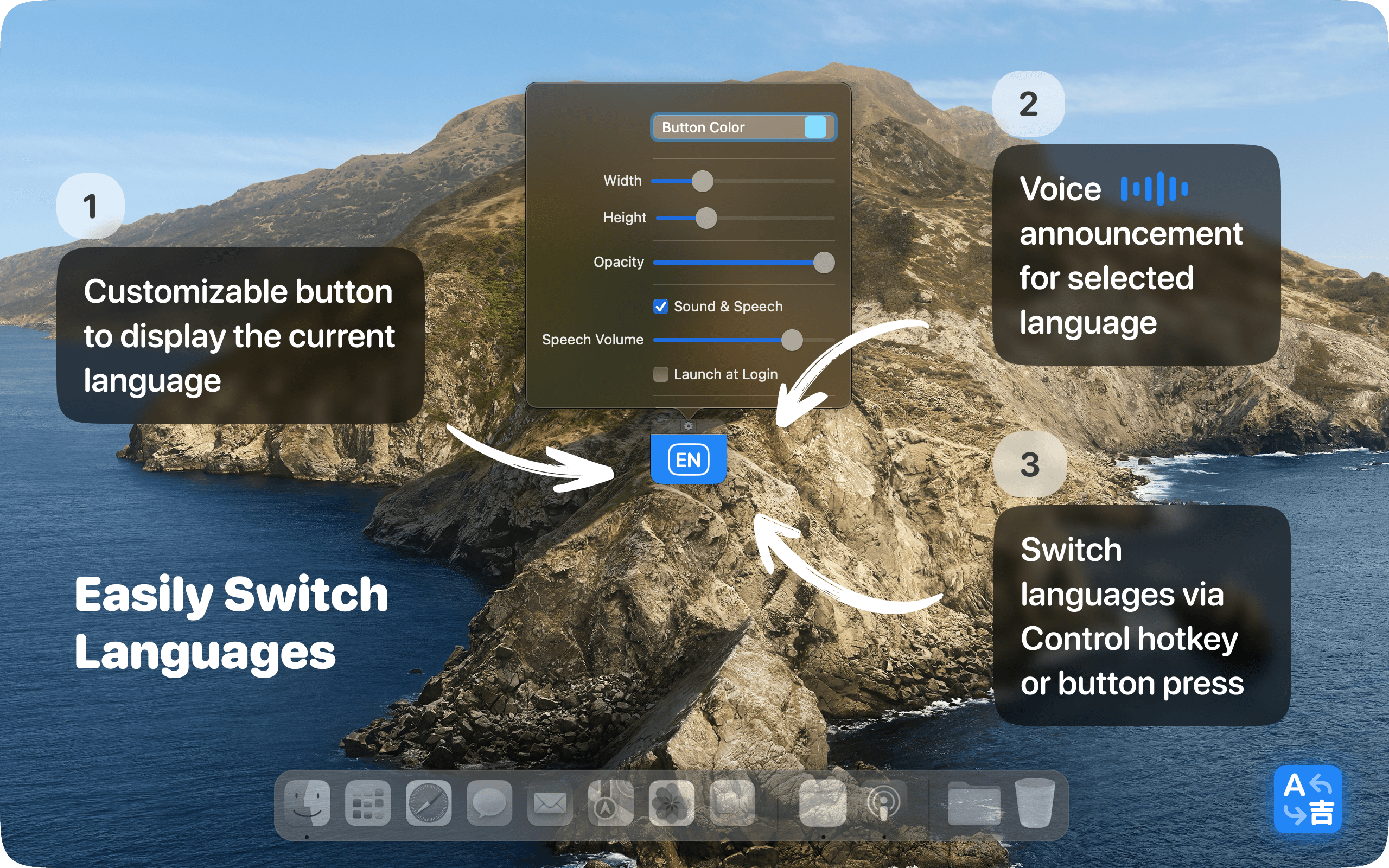
It is built for multilingual Mac users who want fewer interruptions and a smoother writing, coding, studying, or communication workflow.
Why multilingual typing on Mac still feels frustrating
If you use only one language, the default macOS language switching may be enough. But if you switch between two, three, or more input languages every day, small problems quickly become annoying.
Common issues include:
- typing a full sentence in the wrong keyboard layout
- forgetting which input language is active
- switching too slowly between languages
- losing focus while looking for the current layout
- needing clearer visual or audio feedback
- working with multiple apps where language context changes often
For writers, students, developers, bloggers, support teams, and international professionals, these small interruptions add up.
A good Mac language switcher should not just switch languages. It should help you stay aware, focused, and confident while typing.
What is Type Switch?
Type Switch is a macOS keyboard language switcher designed for fast and intuitive multilingual typing.
The app adds a compact floating language button to your Mac. This button shows your current input language and lets you switch between installed macOS keyboard languages instantly.
You can keep the button visible above your windows, customize how it looks, use keyboard shortcuts, enable sound or voice feedback, or switch to Hidden Mode when you want a cleaner screen.
In short, Type Switch gives you three things that the default macOS experience often lacks:
- faster language switching
- better visual feedback
- more control over how the switcher fits your workflow
Key features of Type Switch
Instant keyboard language switching
Type Switch lets you quickly switch between your installed macOS input languages with a click or hotkey.
No searching through menus.
No unnecessary friction.
No guessing which keyboard layout is currently active.
This is especially useful if you constantly move between English and another language during writing, coding, messaging, studying, or daily work.
Floating language button
The floating button shows your current keyboard language directly on your screen.
You can keep it above your workspace, so the active input language is always visible. This helps reduce one of the most common multilingual typing mistakes: typing in the wrong layout without noticing it.
For people who write a lot, this small visual cue can save time and prevent unnecessary corrections.
Hidden Mode with language popup
If you prefer a cleaner desktop, Type Switch also supports Hidden Mode.
In this mode, you can hide the floating button and show a smooth temporary language popup only when the language changes. This gives you clear feedback without keeping an always-visible button on the screen.
It is a good option for users who want the benefits of a language indicator but prefer a more minimal macOS workspace.
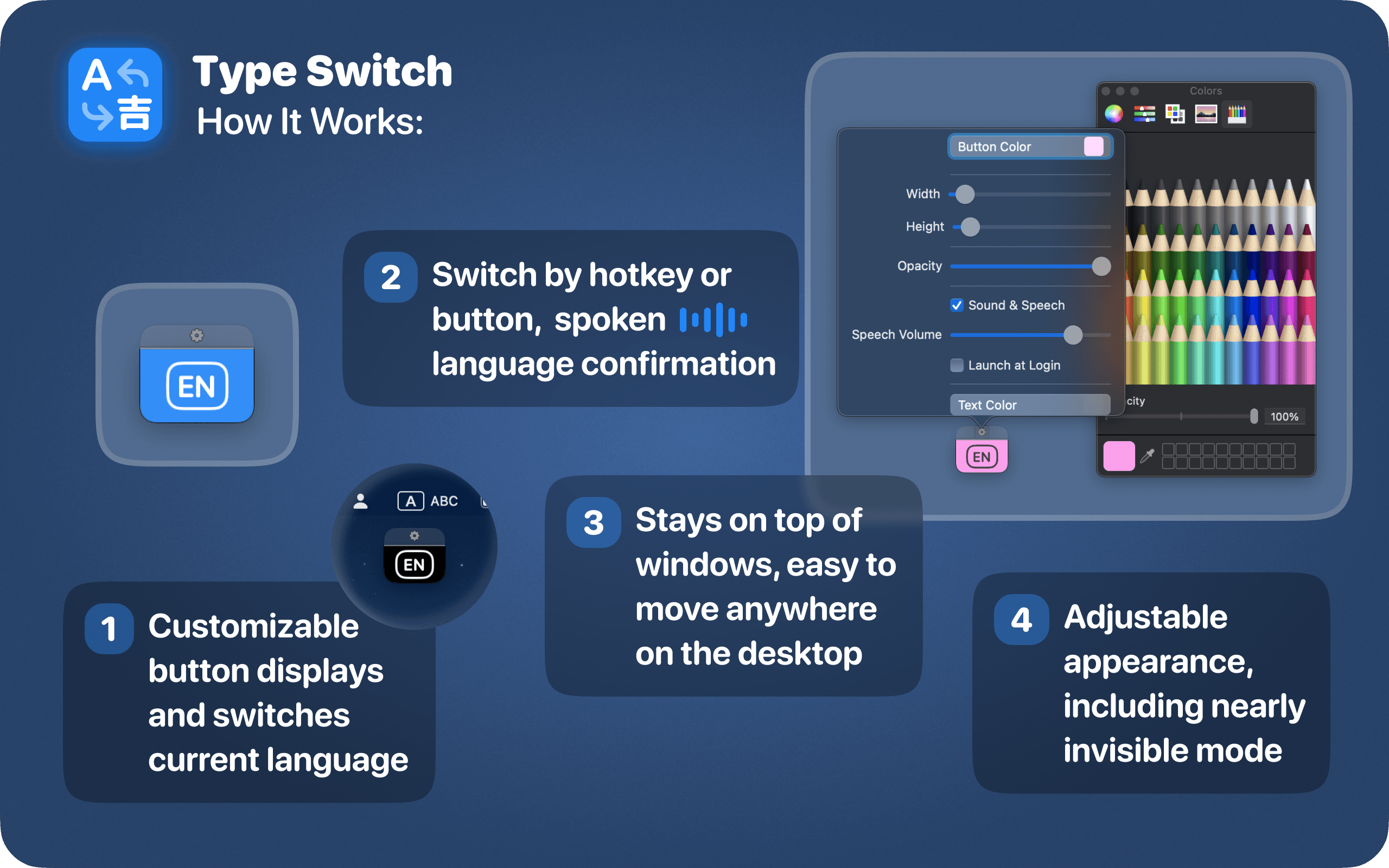
Customizable appearance
Type Switch lets you adjust the look of the floating language button so it matches your workspace.
You can customize:
- button size
- button color
- text color
- opacity
- position on the screen
This makes the app flexible for different setups. You can make the button subtle and minimal, or more visible if you switch languages often and want stronger feedback.
Sound and voice feedback
Sometimes visual feedback is not enough, especially when you are focused on writing or looking at another part of the screen.
Type Switch can give you audio feedback when the language changes. You can use sound notifications or voice alerts, so you always know which input language is active.
This is helpful for people who switch languages quickly and want confirmation without checking the menu bar or input indicator manually.
Hotkey support
Type Switch supports fast keyboard-based switching with options like Left Control or Double Left Shift.
This gives you flexibility depending on how you prefer to work. Some users like the floating button because it provides clear visual control. Others prefer hotkeys because they are faster during writing or coding.
Type Switch supports both workflows.
Minimal macOS design
Type Switch is designed to feel like a simple Mac utility, not a heavy productivity system.
It has a focused interface, clear settings, and a small footprint. The goal is not to replace macOS input settings completely, but to make daily keyboard language switching faster, clearer, and more convenient.
Who is Type Switch for?
Type Switch is useful for anyone who types in multiple languages on macOS.
Writers and bloggers
If you write articles, posts, scripts, newsletters, or social media content in multiple languages, switching layouts quickly matters.
Type Switch helps you avoid typing in the wrong language and keeps your writing flow smoother.
Developers
Developers often switch between English code, comments, documentation, messages, tickets, and local language communication.
Type Switch helps you stay focused on your code instead of thinking about keyboard settings.
Students and researchers
Students often work with multilingual notes, sources, essays, academic texts, and translation tools.
With faster language switching and clear feedback, Type Switch makes studying in multiple languages easier and less distracting.
International professionals
If you write emails, documents, reports, or client messages in different languages, typing accuracy matters.
Type Switch helps you move between languages faster and avoid embarrassing layout mistakes in professional communication.
Multilingual Mac users
If your daily work includes English plus Ukrainian, Spanish, German, French, Polish, or any other language, Type Switch can make your Mac feel more comfortable for multilingual typing.
Why Type Switch is better than the default macOS language switcher
The built-in macOS input switcher works, but it is not always ideal for heavy multilingual use.
Type Switch improves the experience by adding:
- a clear floating language indicator
- faster access through click or hotkey
- optional sound and voice feedback
- Hidden Mode with temporary popup
- customizable appearance
- better visibility while working across apps
The difference is simple: macOS gives you basic language switching. Type Switch makes language switching easier to notice, faster to control, and more comfortable for everyday use.
How Type Switch improves productivity
Language switching is a small action, but it happens many times a day. Every wrong layout, every correction, every moment spent checking the current language creates friction.
Type Switch reduces that friction.
It helps you:
- type faster across multiple languages
- avoid wrong-keyboard mistakes
- stay focused while writing or coding
- keep the current language visible
- customize the switcher to your workflow
- use sound or voice feedback when needed
- keep your desktop clean with Hidden Mode
For multilingual users, this is not just a convenience. It is a small productivity upgrade that makes the whole Mac experience feel smoother.
Download Type Switch for macOS
Try Type Switch and make multilingual typing on Mac faster, clearer, and more comfortable.
Download Type Switch on the App Store
FAQ
Type Switch is one of the best language switchers for macOS if you type in multiple languages every day. It helps you switch keyboard layouts faster, see the current input language clearly, and avoid typing in the wrong layout.
You can use Type Switch to switch keyboard languages instantly with a floating button or hotkeys like Left Control or Double Left Shift. This is faster and more visible than relying only on the default macOS input menu.
Yes. Type Switch is designed for multilingual typing on macOS. It is useful for writers, developers, students, bloggers, support teams, and professionals who often switch between English and other languages while working.
Yes. Type Switch shows the current keyboard language with a floating language button. It can also provide sound or voice feedback, so you always know which input language is selected.
Type Switch does not remove the default macOS input system. It improves the experience by adding faster switching, a clearer language indicator, customizable design, hotkeys, sound feedback, voice alerts, and Hidden Mode with a temporary language popup.