Last updated: April 23, 2026 · 5 min read
If you’ve been trying to publish Confluence pages publicly, you’ve probably run into the same three names: Scroll Sites (formerly Scroll Viewport), Refined Sites for Confluence, and the newer Public Pages for Confluence. They all claim to solve the same problem, but they’re built for pretty different situations.
This article breaks down what each one actually does, where each one falls short, and how to figure out which fits your team.
Why native Confluence isn’t enough
Before comparing the apps, it’s worth understanding the problem they all solve.
Confluence has two built-in ways to share content outside your organization: anonymous access (opens an entire space to anyone on the internet) and public links (shares a single page via a private URL). Both work, technically. But neither is great for a real public-facing use case.
With anonymous access, visitors see the full Confluence UI, including the navigation bar, Create button, page history, internal breadcrumbs, and editor clutter that has nothing to do with your content. Public links, on the other hand, hide third-party macros, don’t support page trees, and aren’t indexed by Google, so they’re useless for SEO. Your URLs also always contain atlassian.net, which hurts trust and search rankings.
That’s the gap all three apps are trying to fill.
The Three Contenders
Scroll Sites (K15t)
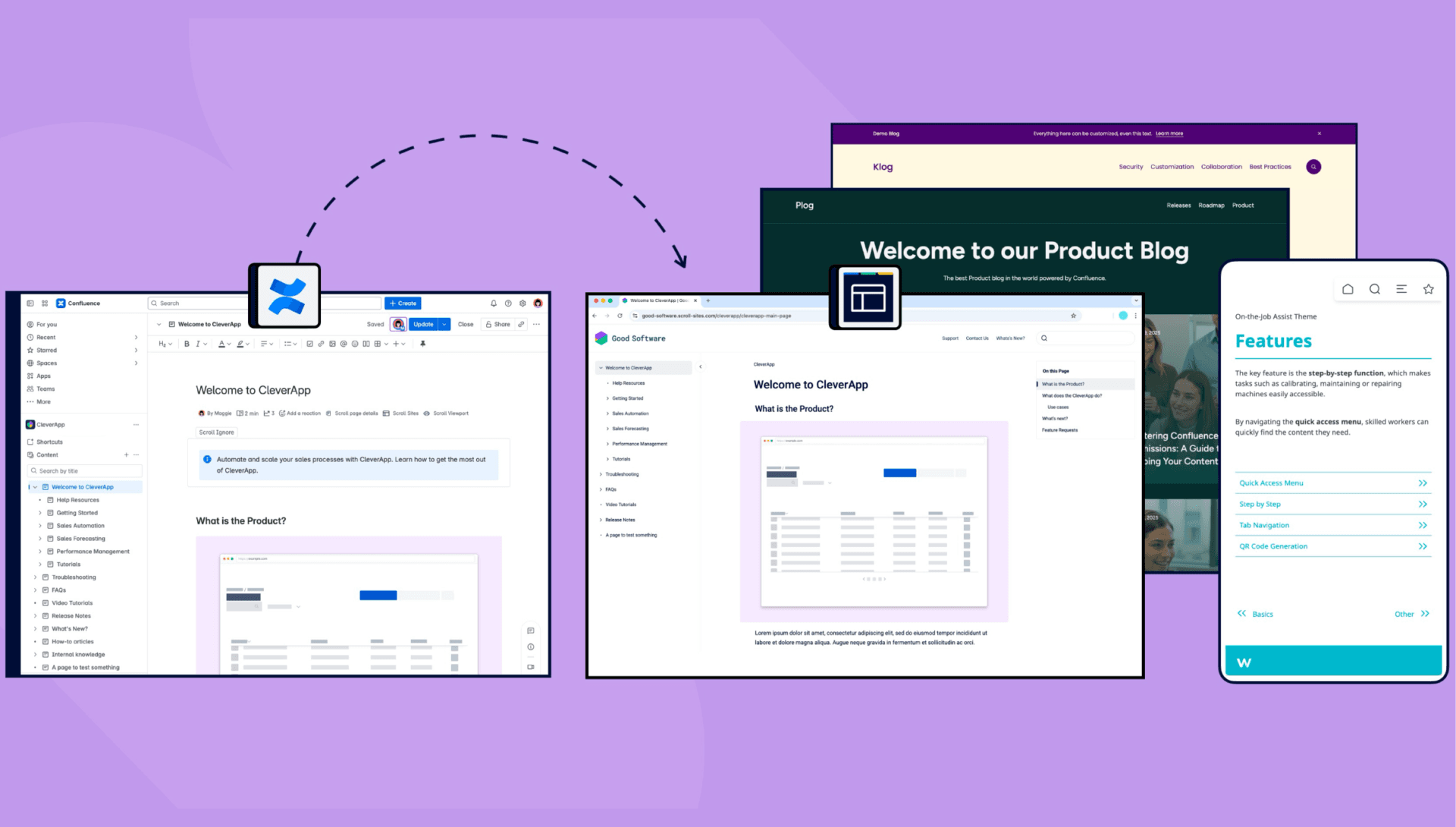
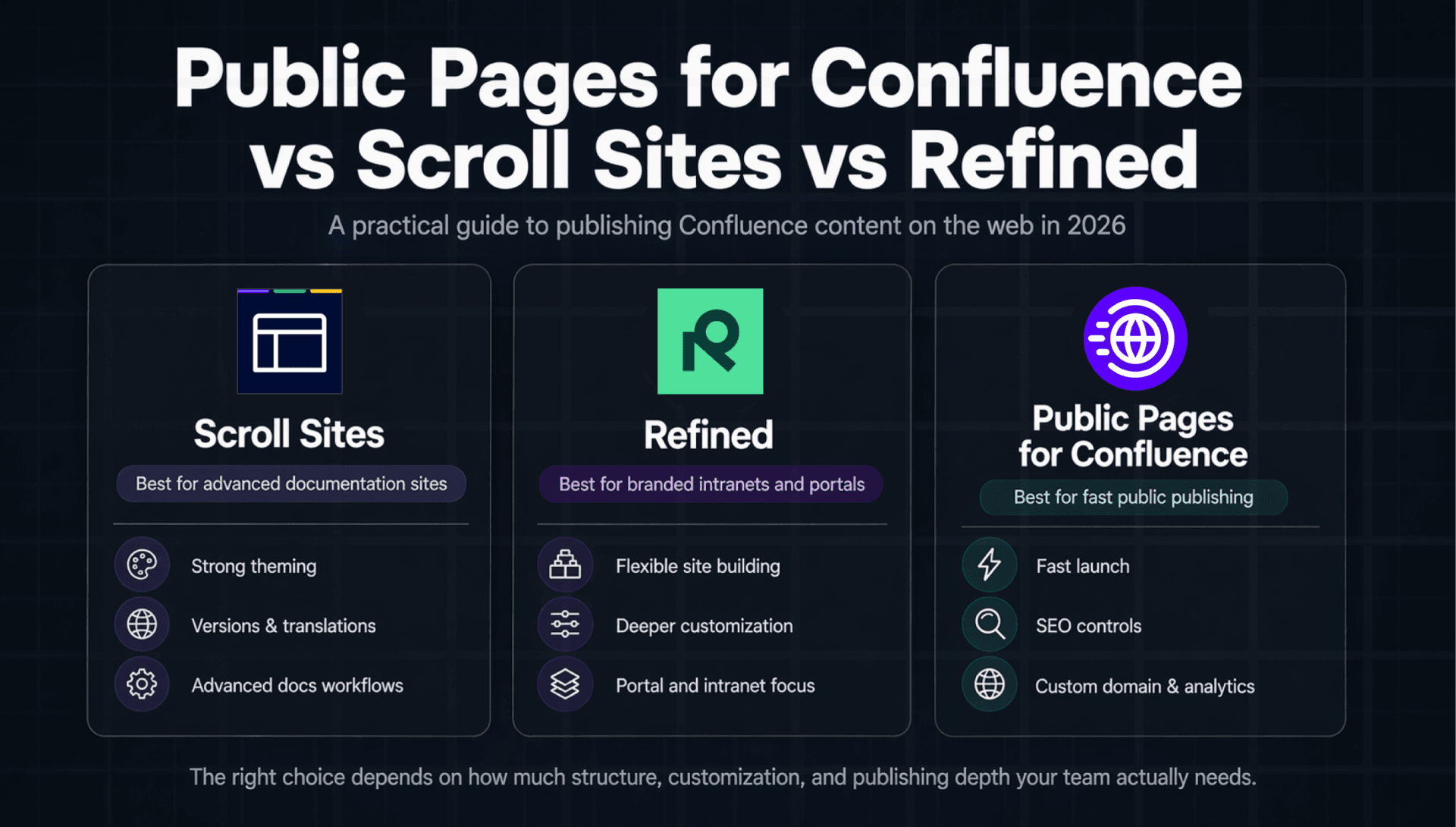
Scroll Sites is the successor to Scroll Viewport, which K15t launched over a decade ago. It’s the most established option in this space and has the most features. You can turn one or more Confluence spaces into a branded documentation site with custom themes, custom domains, versioned content, multilingual variants, AI search, and integrations with Zendesk, Jira Service Management, and others.
The setup takes some learning. You’re essentially building a standalone website that pulls from Confluence, so there’s configuration involved: picking themes, mapping content, setting up domains. It’s powerful, but it’s not a quick install-and-go.
Pricing: Tied to the number of licensed Confluence users, not the number of people who actually publish content. So a 200-person company pays for 200 seats even if only 3 people ever manage the documentation site. That’s a standard Atlassian Marketplace pricing constraint, and it adds up.
Refined Sites for Confluence
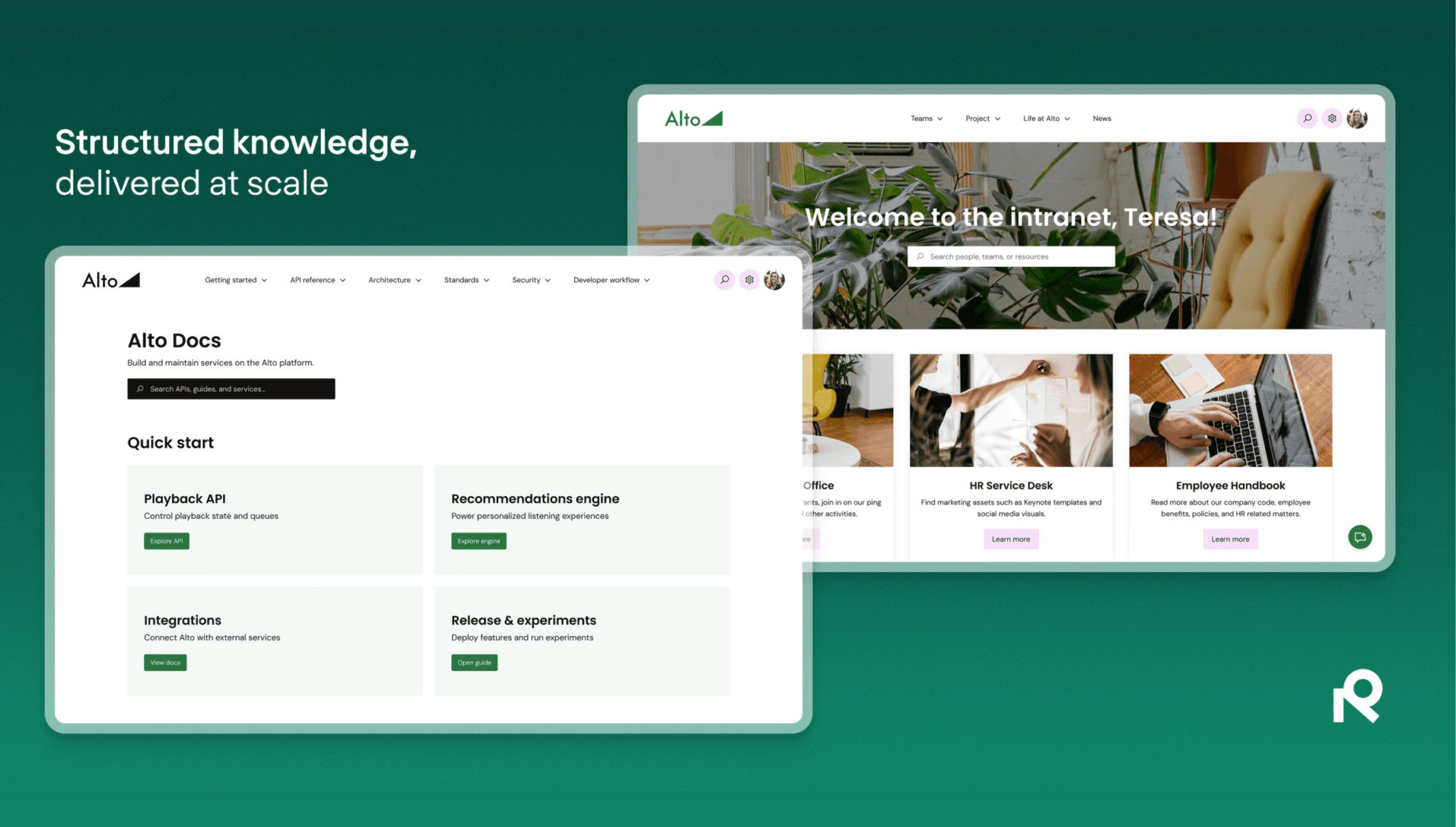
Refined is a site-builder in the fuller sense of the word. It’s designed to transform Confluence into custom intranets, documentation portals, employee hubs, and external knowledge bases. You get drag-and-drop page builders, themed navigation, custom landing pages, and JSM integration if you need support portals alongside your docs.
It’s genuinely impressive for organizations that need a polished intranet or a complex multi-audience site. The learning curve reflects that ambition. Getting a Refined site to look really good takes time and a person willing to own the configuration.
Refined recently split into Standard and Advanced editions. Custom domains, analytics, and public sites with more than 25,000 monthly page views are Advanced features, which means teams that had these on Standard got moved off them during the 2025 migration unless they upgraded.
Pricing: Same as Scroll Sites, user-tier-based via Atlassian Marketplace.
Public Pages for Confluence
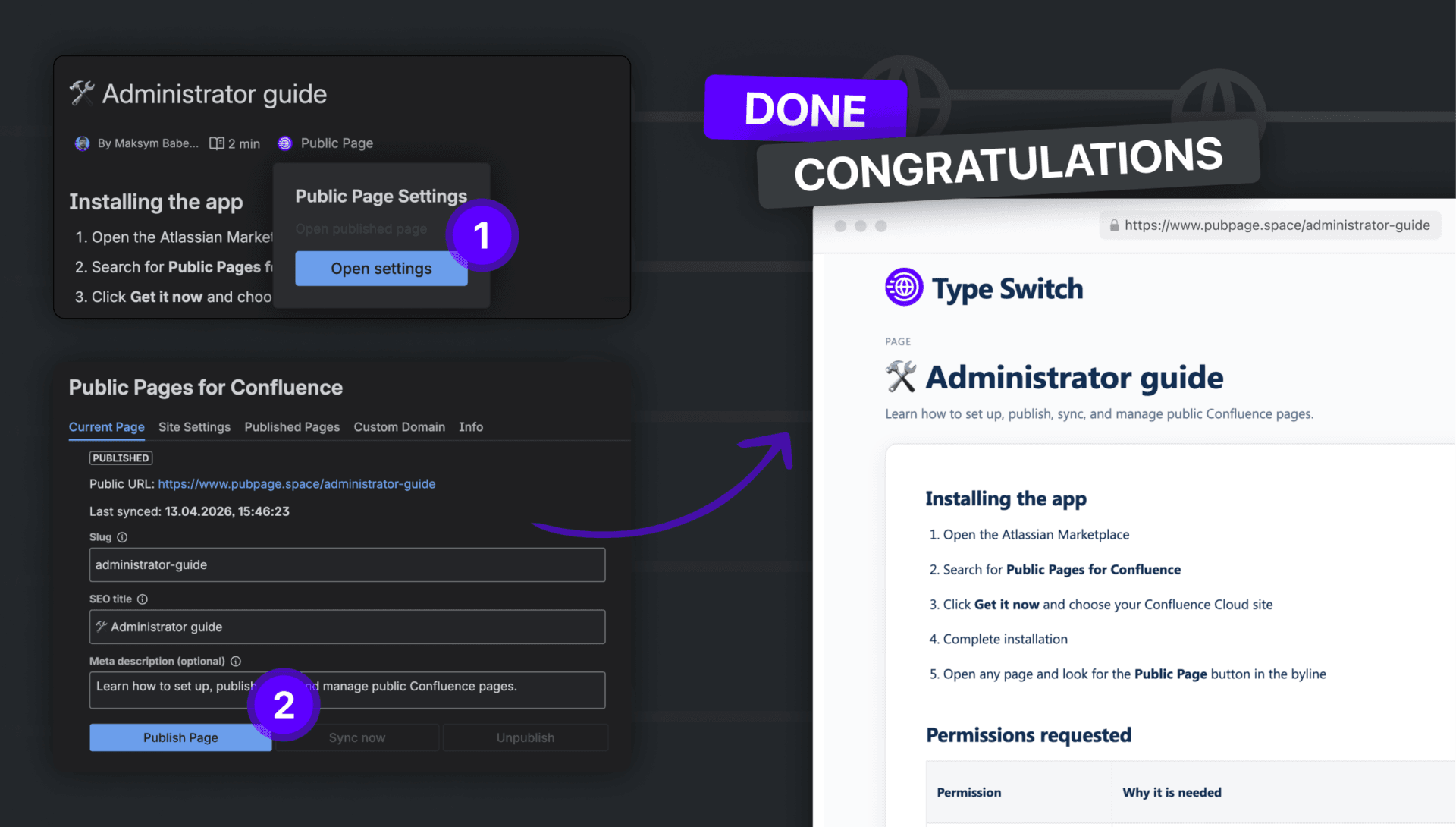
Public Pages is the newest of the three, and it takes a different approach. Rather than building a separate website layer on top of Confluence, it lets you publish individual Confluence pages (or groups of pages) to a clean public URL, with SEO metadata, Google Analytics 4 support, Google Search Console verification, custom domain, dark/light theme toggle, and your own branding, all managed from within Confluence itself.
The workflow is simple: open a page, click “Public Page Settings,” set the slug and SEO title, and publish. The page lives at your custom domain immediately. There’s a site-level settings panel where you set GA4 tracking, GSC verification, robots mode, and your logo, and then page-level settings for individual slug and meta description.
It doesn’t try to replace your entire website or build an elaborate portal. It solves one thing: getting specific Confluence pages onto the public internet, properly indexed, on your domain.
Pricing: Also user-tier-based, but costs less than Scroll Sites or Refined.
Feature Comparison
| Feature | Public Pages | Scroll Sites | Refined Sites |
|---|---|---|---|
| Custom domain | Yes | Yes | Yes (Advanced only) |
| SEO title + meta description per page | Yes | Yes | Partial |
| GA4 integration | Yes | Via custom code | Via custom code |
| Google Search Console verification | Yes (built-in) | Manual | Manual |
| Page-level publishing | Yes (page-level) | No (space) | No (space) |
| Granular page-level publishing control | Yes | Space-level | Space-level |
| Versioned documentation | No | Yes (with Scroll Content Manager) | No |
| AI-powered search | No | Yes (add-on) | Yes (Advanced) |
| Custom themes and layouts | Basic (logo + name) | Full | Full drag-and-drop |
| JSM / support portal integration | No | Yes | Yes |
| Intranet / internal site use case | No | Partial | Yes |
| Setup complexity | Low | Medium-High | Medium-High |
| Best for | Fast page publishing with built-in SEO | Documentation sites and help centers | Complex branded portals |
Where each one wins
Scroll Sites wins when:
You’re building a documentation site that needs to scale. If you have hundreds of pages, multiple product versions, and need things like versioned snapshots, translated content, or controlled publishing workflows, Scroll Sites handles it. The K15t ecosystem (Scroll Content Manager, exporters) gives you a proper documentation pipeline.
It’s also the right call if you need tight SEO from day one and have a team that can invest a few days into setup and theme configuration.
Refined Sites wins when:
You need an intranet or a multi-audience portal that happens to include public documentation. Refined excels at mixing internal and external content on the same platform, building employee-facing wikis with branded navigation, or combining a knowledge base with a JSM support portal.
If your primary requirement is “make Confluence look and work like a proper company website for our employees,” Refined is the most mature option.
Public Pages for Confluence wins when:
You need to get specific pages public fast, without rebuilding your Confluence space into a documentation site.
Say you want to publish your terms of service, a product changelog, a public API reference, or a few support articles, and you want those pages indexed by Google, reachable on your domain, with proper meta descriptions, and tracked in GA4. Public Pages does exactly that in minutes, not days.
It also makes sense for smaller teams or startups using Confluence who don’t need a full help center architecture but do need some pages to be findable on the internet.
The built-in SEO controls (per-page slug, SEO title, meta description, GSC verification at site level, GA4 measurement ID, robots mode) are genuinely useful.
The real pricing picture
All three apps use Atlassian’s user-tier pricing, which means you pay based on your total Confluence user count, not how many people actually use the publishing features.
For a 10-user team, this is rarely an issue. For a 500-user enterprise, it’s a different conversation.
At the enterprise scale, Scroll Sites and Refined both offer more value per dollar because they’re solving harder problems: versioned documentation, complex navigation, support integration. For mid-size teams (25-200 users) who mostly need clean public pages with SEO, Public Pages tends to be the more cost-effective choice.
Refined has become more expensive for some teams after the Standard/Advanced split in 2025. Custom domains, which used to be available on the base plan, now require Advanced. Teams that were on older plans and didn’t upgrade in time had to adapt. It’s still an excellent product, but the pricing change stung some long-term users.
Which one should you pick?
Here’s a simple way to decide:
Pick Public Pages for Confluence if:
• You need specific pages publicly indexed with SEO controls
• You want to get it done in a hour, not a week
• Your team is small to mid-size and doesn’t need a full documentation platform
• You want GA4 and Google Search Console set up without code
Pick Scroll Sites if:
• You’re building a dedicated help center or documentation site
• You need versioning, multilingual content, or advanced publishing workflows
• You want to customize the look of your site beyond basic branding
Pick Refined Sites if:
• Your main goal is an internal intranet or employee portal
• You need a complex multi-site structure combining internal and external content
• You want full drag-and-drop layout control over your Confluence experience
Conclusion
There’s no universal right answer here, and the three apps aren’t really competing for the same use case in most scenarios. Scroll Sites and Refined are better compared to each other. Public Pages sits a level below in complexity but fills a real gap for teams who just need their pages on the internet, properly formatted, with SEO.
If you’ve been using raw Confluence anonymous access and wondering why Google isn’t indexing your content well, or why your URLs look terrible, any of these three apps will improve the situation.
FAQ
Yes, all three apps support custom domains. Scroll Sites and Public Pages for Confluence let you connect your domain on any plan. Refined requires the Advanced edition for custom domains.
No. Native Confluence has no built-in support for custom meta descriptions or SEO titles. All three apps solve this differently — Scroll Sites and Public Pages for Confluence offer per-page SEO title and meta description fields, while Refined provides partial control depending on the plan.
Scroll Sites is built for full documentation sites with versioning, themes, and multilingual content. Refined is designed for intranets and complex multi-audience portals combining Confluence and JSM. Public Pages for Confluence focuses on publishing individual pages quickly with built-in SEO controls and GA4 — without the setup complexity of the other two.
Public Pages for Confluence has the lowest setup complexity. Teams publish their first page within minutes. Scroll Sites and Refined both offer more features but require more configuration time, typically a few days to get a properly themed and structured site live.
Read More
[{"id":4680,"link":"https:\/\/typeswitch.net\/blog\/design-tokens-generator\/","name":"design-tokens-generator","thumbnail":{"url":"https:\/\/typeswitch.net\/wp-content\/uploads\/2026\/07\/visualsnag-catch-style-from-website-or-visual-reference.jpg","alt":"catch-style-from-website-or-visual-reference"},"title":"How to Generate Design Tokens From a Website Screenshot","postMeta":[],"author":{"name":"Babenko Maksym","link":"https:\/\/typeswitch.net\/blog\/author\/max-babenko\/"},"date":"\u041b\u0438\u043f 23, 2026","dateGMT":"2026-07-23 08:06:56","modifiedDate":"2026-07-23 08:30:46","modifiedDateGMT":"2026-07-23 08:30:46","commentCount":"0","commentStatus":"closed","categories":{"coma":"<a href=\"https:\/\/typeswitch.net\/blog\/category\/visualsnag\/\" rel=\"category tag\">VisualSnag<\/a>","space":"<a href=\"https:\/\/typeswitch.net\/blog\/category\/visualsnag\/\" rel=\"category tag\">VisualSnag<\/a>"},"taxonomies":{"post_tag":""},"readTime":{"min":6,"sec":34},"status":"publish","content":"Creating a consistent interface is much easier when visual decisions are written down as reusable rules. Those rules are called"},{"id":4524,"link":"https:\/\/typeswitch.net\/blog\/best-language-switcher-macos\/","name":"best-language-switcher-macos","thumbnail":{"url":"https:\/\/typeswitch.net\/wp-content\/uploads\/2024\/11\/Type-Switch-Personalize-Your-Button.png","alt":"Minimalist design of Type Switch app for language changes on macOS."},"title":"Best Language Switcher for macOS in 2026: Type Switch for Multilingual Typing","postMeta":[],"author":{"name":"Babenko Maksym","link":"https:\/\/typeswitch.net\/blog\/author\/max-babenko\/"},"date":"\u0422\u0440\u0430 17, 2026","dateGMT":"2026-05-17 13:47:43","modifiedDate":"2026-05-17 13:56:53","modifiedDateGMT":"2026-05-17 13:56:53","commentCount":"0","commentStatus":"closed","categories":{"coma":"<a href=\"https:\/\/typeswitch.net\/blog\/category\/uncategorized\/\" rel=\"category tag\">Uncategorized<\/a>","space":"<a href=\"https:\/\/typeswitch.net\/blog\/category\/uncategorized\/\" rel=\"category tag\">Uncategorized<\/a>"},"taxonomies":{"post_tag":""},"readTime":{"min":7,"sec":17},"status":"publish","content":"Working with multiple languages on your Mac should feel natural. But for many people, switching keyboard languages is still one"},{"id":4510,"link":"https:\/\/typeswitch.net\/blog\/best-developer-tools-macos-2026\/","name":"best-developer-tools-macos-2026","thumbnail":{"url":"https:\/\/typeswitch.net\/wp-content\/uploads\/2026\/05\/Preview_1_en.jpg","alt":"quick notes app for Mac"},"title":"Best Developer Tools for macOS in 2026: Essential Mac Apps for Coding","postMeta":[],"author":{"name":"Babenko Maksym","link":"https:\/\/typeswitch.net\/blog\/author\/max-babenko\/"},"date":"\u0422\u0440\u0430 17, 2026","dateGMT":"2026-05-17 07:32:59","modifiedDate":"2026-05-17 07:46:13","modifiedDateGMT":"2026-05-17 07:46:13","commentCount":"0","commentStatus":"closed","categories":{"coma":"<a href=\"https:\/\/typeswitch.net\/blog\/category\/uncategorized\/\" rel=\"category tag\">Uncategorized<\/a>","space":"<a href=\"https:\/\/typeswitch.net\/blog\/category\/uncategorized\/\" rel=\"category tag\">Uncategorized<\/a>"},"taxonomies":{"post_tag":""},"readTime":{"min":9,"sec":1},"status":"publish","content":"macOS is still one of the best environments for developers in 2026. You get a Unix-based system, strong hardware, great"},{"id":4402,"link":"https:\/\/typeswitch.net\/blog\/confluence-public-links-alternative\/","name":"confluence-public-links-alternative","thumbnail":{"url":"https:\/\/typeswitch.net\/wp-content\/uploads\/2026\/05\/Confluence-public-links-alternative.png","alt":"Illustration showing Confluence pages published to the public web with Public Pages for Confluence"},"title":"Confluence Public Links Alternative: Publish Pages with SEO, Branding and Custom Domains","postMeta":[],"author":{"name":"Babenko Maksym","link":"https:\/\/typeswitch.net\/blog\/author\/max-babenko\/"},"date":"\u0422\u0440\u0430 8, 2026","dateGMT":"2026-05-08 16:02:11","modifiedDate":"2026-05-08 17:59:18","modifiedDateGMT":"2026-05-08 17:59:18","commentCount":"0","commentStatus":"closed","categories":{"coma":"<a href=\"https:\/\/typeswitch.net\/blog\/category\/atlassian\/\" rel=\"category tag\">Atlassian<\/a>","space":"<a href=\"https:\/\/typeswitch.net\/blog\/category\/atlassian\/\" rel=\"category tag\">Atlassian<\/a>"},"taxonomies":{"post_tag":""},"readTime":{"min":7,"sec":27},"status":"publish","content":"By Maksym Babenko \u00b7 ~5 min read \u00b7 May 8, 2026 Confluence public links are useful when you need to share a page"}]