
Create simple signed proof when you give or receive something
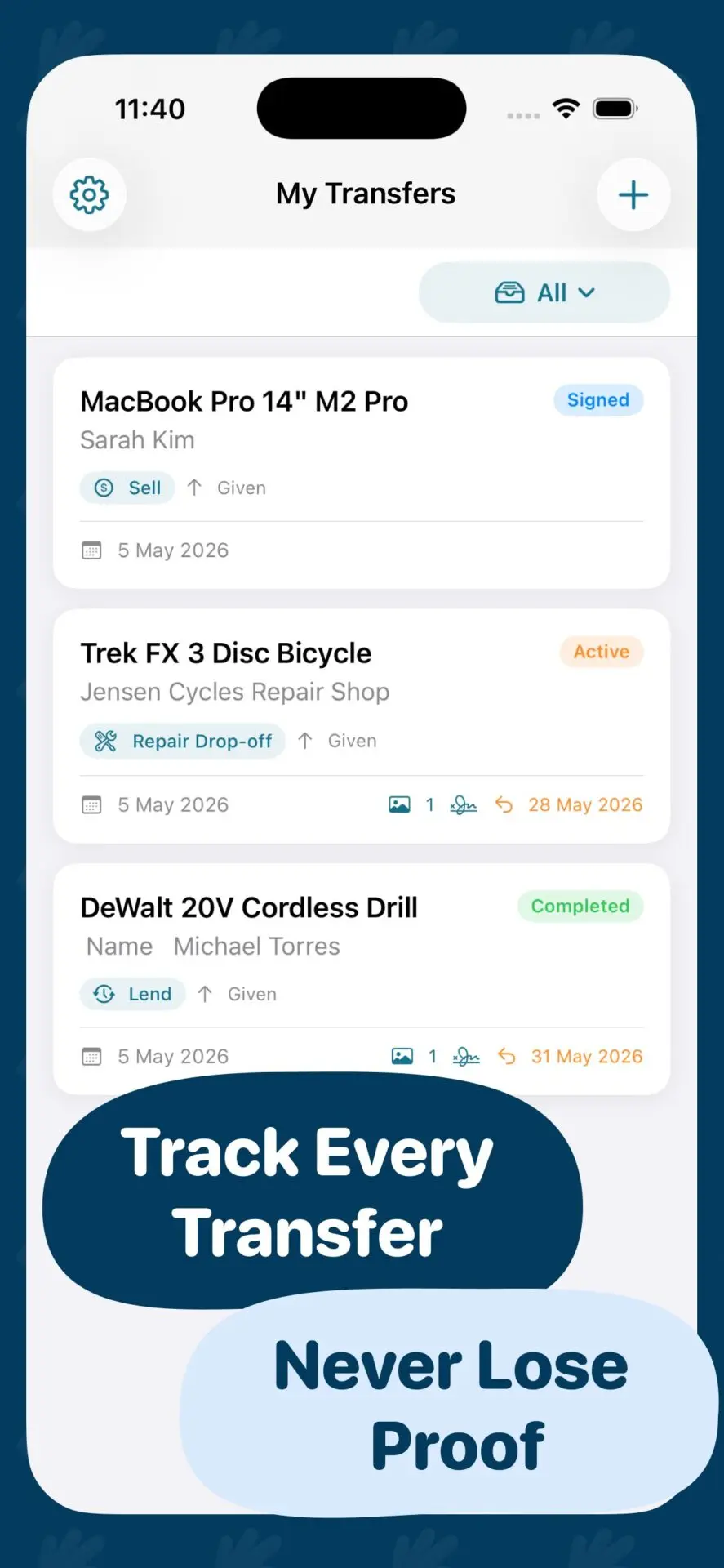
ItemProof helps you document real-life item exchanges with photos, condition notes, names, dates, optional location, handwritten signatures, reminders, and a shareable PDF receipt.
Built for local sales, lending, keys, repairs, returns, borrowed items, and everyday handovers.
Why it matters
Do not rely on memory when an item exchange can be disputed
When you give someone keys, lend a laptop, sell an item, return equipment, or drop something off for repair, it can be hard to prove what changed hands and what condition it was in. ItemProof creates a clear receipt before a problem appears.
- Document item condition with photos and notes at the time of exchange.
- Capture the other party name, date, optional location, and handwritten signature.
- Export a clean PDF item proof receipt that both sides can keep.
Features
Everything you need to create practical item proof
ItemProof keeps everyday item evidence structured, fast, and easy to share.
Item proof receipt
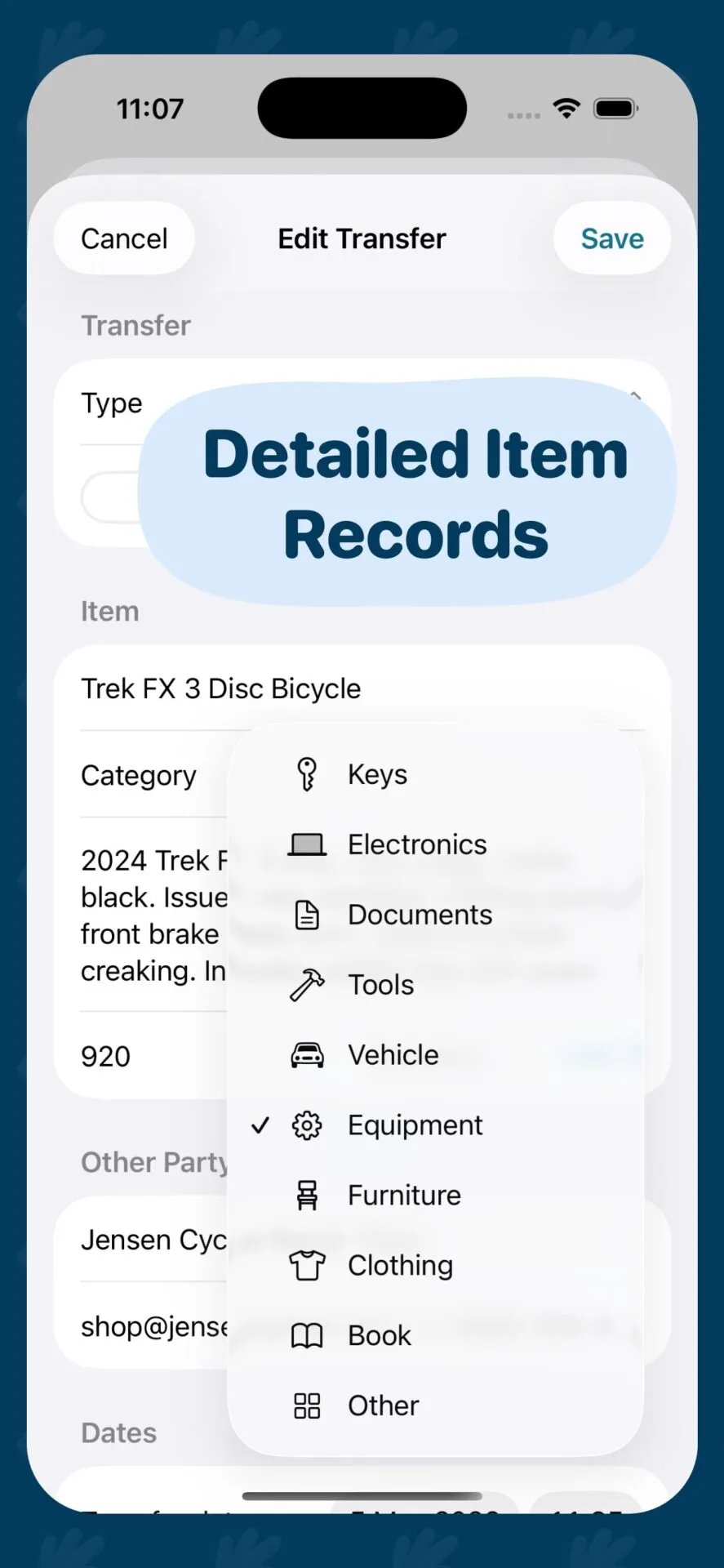
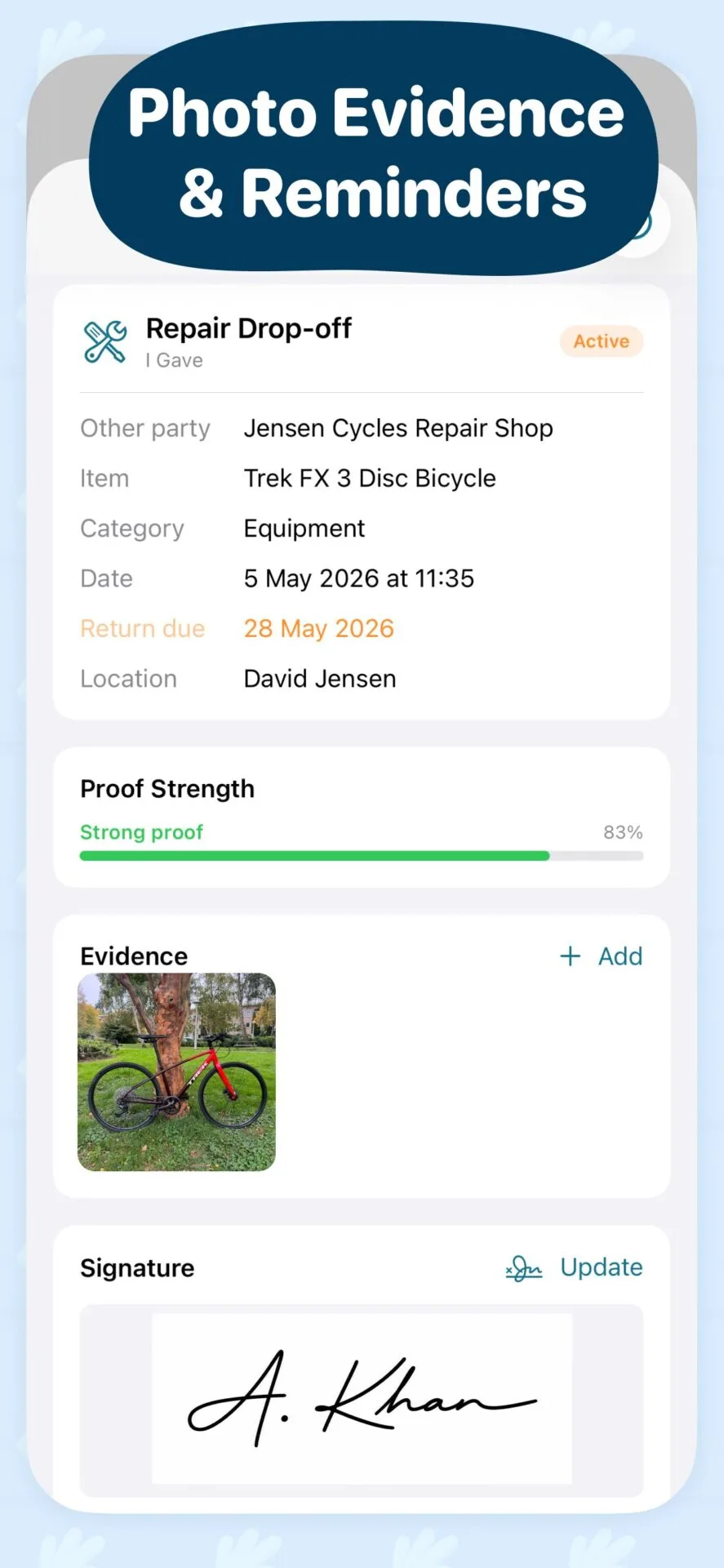
Save the item, proof type, other party, date, status, value, return due date, and notes in one place.
Photo evidence
Add item, condition, damage, serial number, accessories, packaging, keys, document, or repair photos.
Evidence checklist
See whether your receipt has weak, good, or strong proof based on photos, signature, notes, and dates.
Signature capture
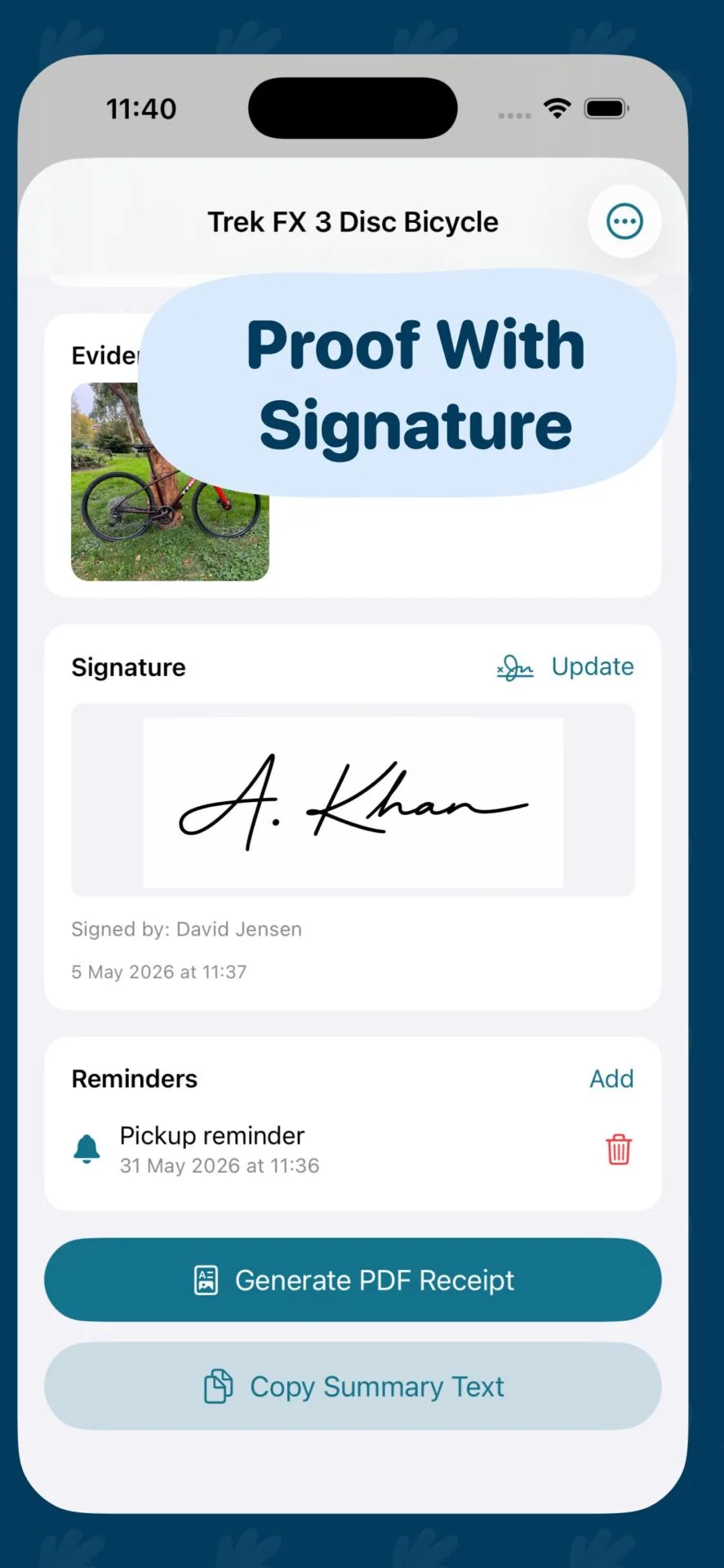
Capture a simple handwritten signature with timestamp and optional signer name.
Return reminders
Set return due, follow-up, or custom reminders for borrowed items, repairs, keys, and equipment.
PDF receipt
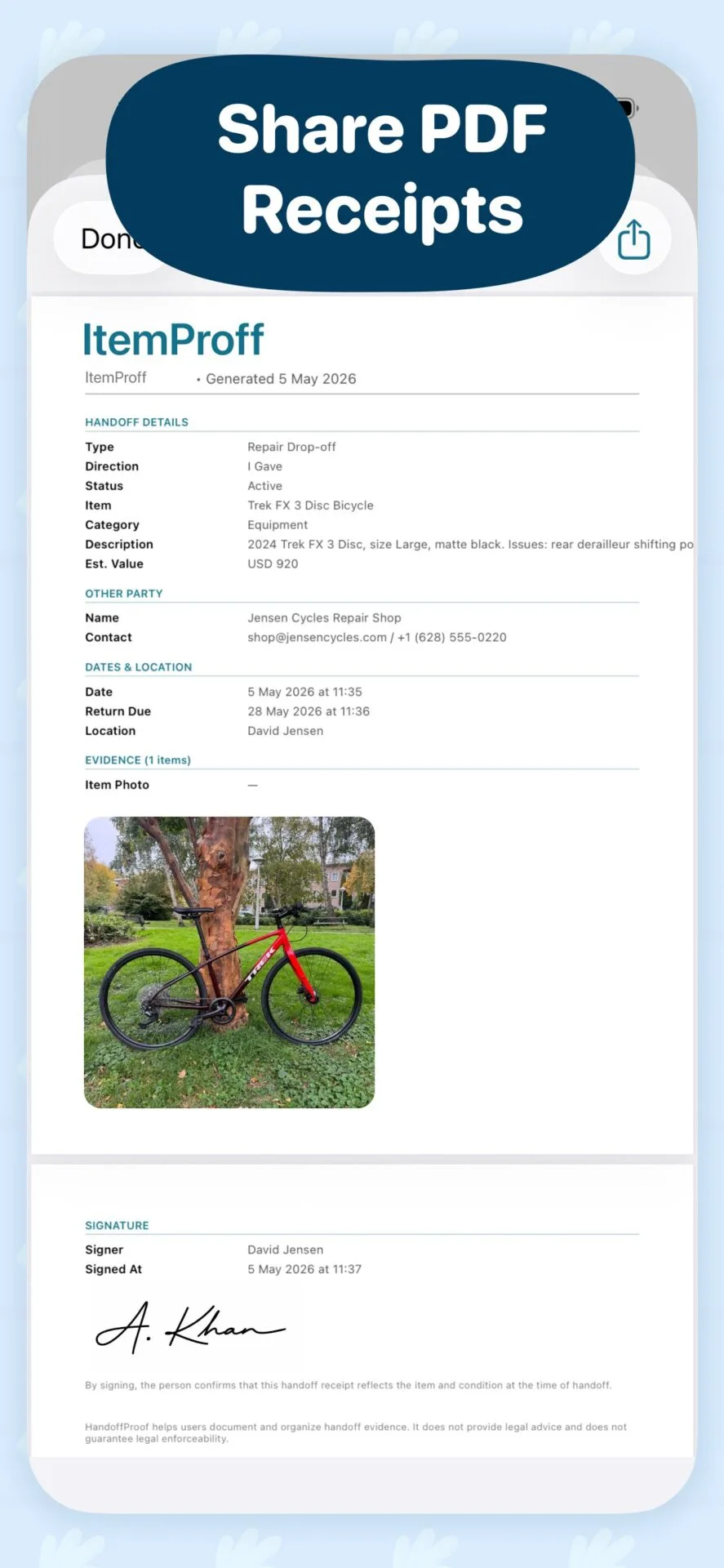
Generate a professional item proof receipt with details, evidence, notes, signature, and disclaimer.
How it works
From quick item details to a signed proof receipt in three steps
Create item proof
Enter only what is needed to start: proof type, item name, and other party name.
Add proof items
Capture photos, condition notes, optional location, return date, and a handwritten signature.
Share the receipt
Export a clean PDF and share it manually by Messages, email, AirDrop, Files, or any system share option.
PDF receipt
Generate a clean PDF item proof receipt
The receipt includes item details, item condition, other party information, dates, optional location, evidence checklist, photo evidence, notes, and signature in one organized file.
- Proof type, direction, date, and current status
- Item details, category, value, condition notes, and return due date
- Other party name, optional contact, signature, and signer timestamp
- Photo evidence organized with type, note, date, and optional location
Inside the app
Simple screens for everyday item exchange moments
Keep the process calm and structured from the first photo to the final shared receipt.
Use cases
Made for common real-life item exchanges
Create proof before the exchange becomes a dispute
Save photos, notes, date, signature, and a shareable receipt while the details are still clear.