Know your energy costs and build a smarter savings plan
SaveEnergy AI helps you estimate monthly electricity use, understand what consumes the most, scan appliances with AI, and get practical saving tips for your home.
Built for apartments, houses, renters, and anyone who wants clearer electricity costs without spreadsheets.
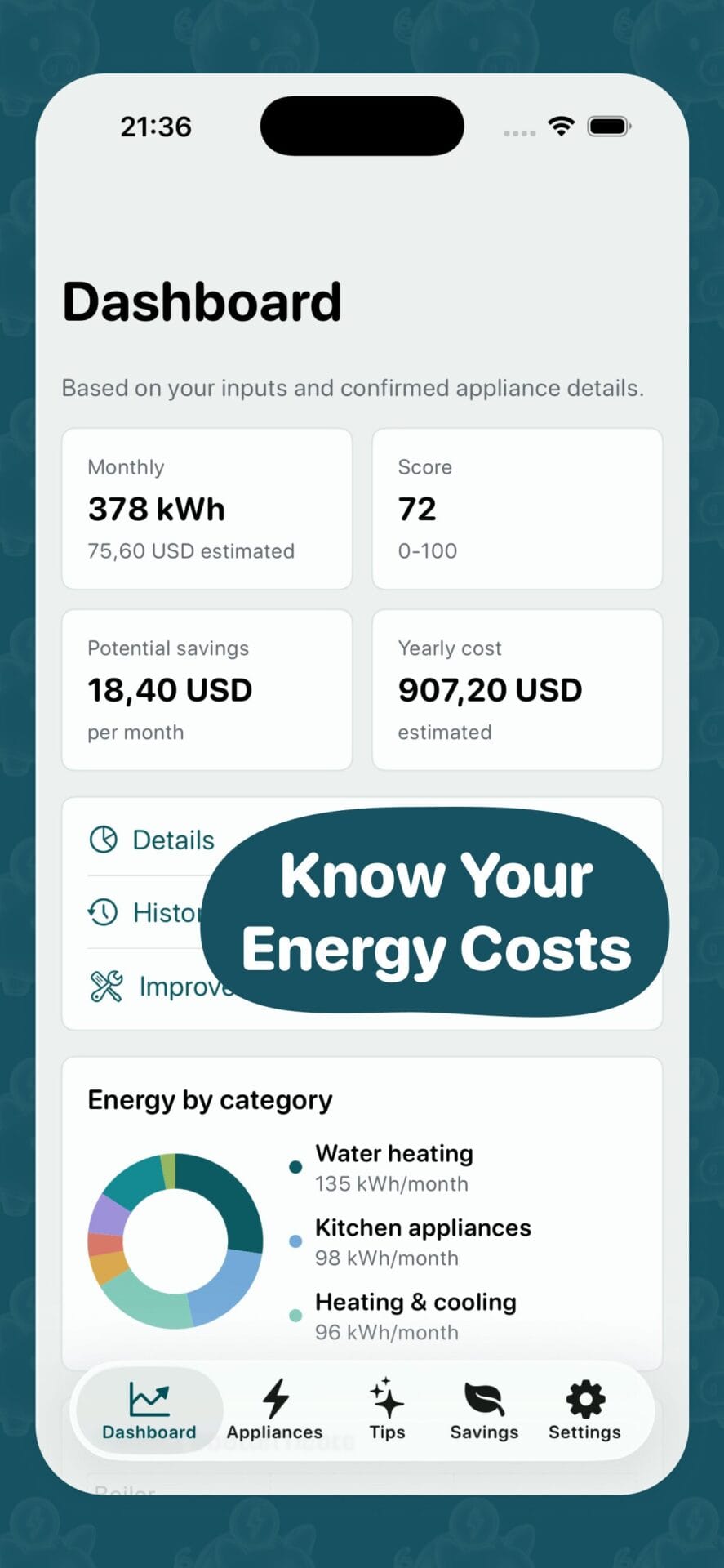
Know your energy costs
See estimated monthly kWh, yearly cost, savings potential, and energy score.
Why it matters
Stop guessing where your electricity bill goes
Most people know the bill amount, but not what creates it. SaveEnergy AI turns appliance details, room usage, and AI-assisted scans into a simple dashboard that helps you see where savings may come from.
- Estimate monthly kWh and electricity cost by appliance.
- See what categories and rooms use the most energy.
- Build a practical savings plan from simple recommendations.
Features
Everything you need to understand and reduce energy costs
SaveEnergy AI combines a home energy dashboard, appliance list, AI scan flow, tips, and savings plan.
Energy dashboard
View estimated monthly kWh, yearly cost, score, and potential savings in one place.
Category breakdown
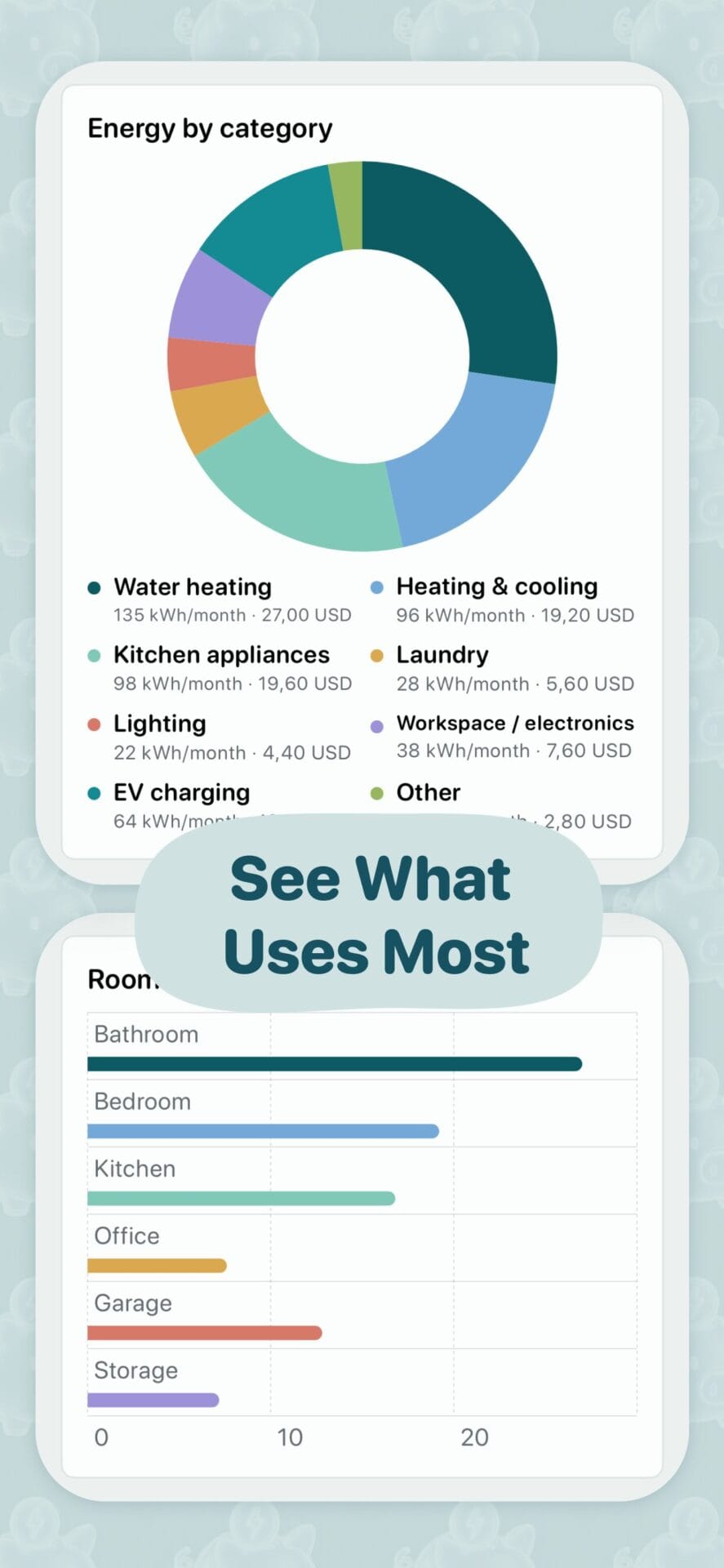
Understand what uses most: water heating, kitchen appliances, HVAC, lighting, EV charging, and more.
AI appliance scan
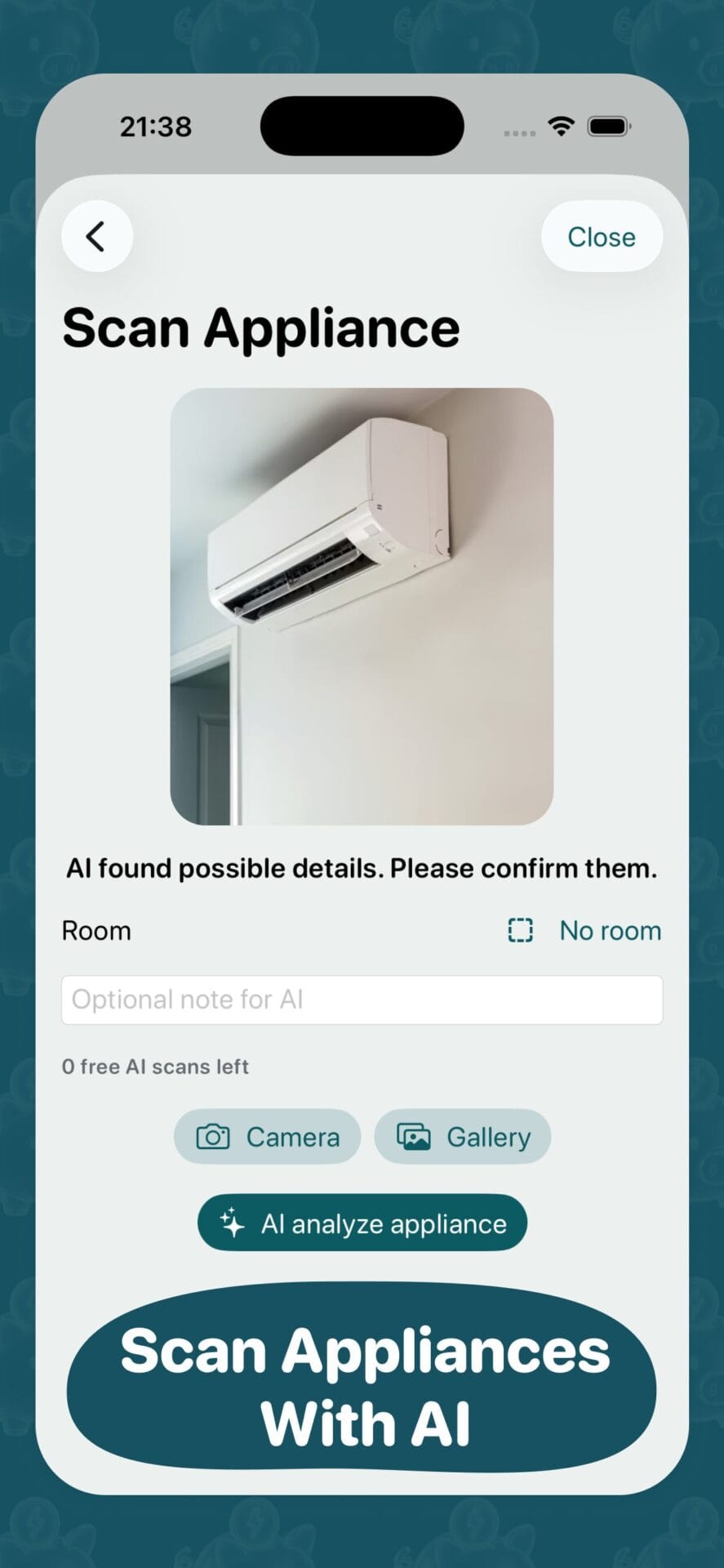
Take a photo of an appliance and let AI suggest possible details for you to confirm.
Practical saving tips
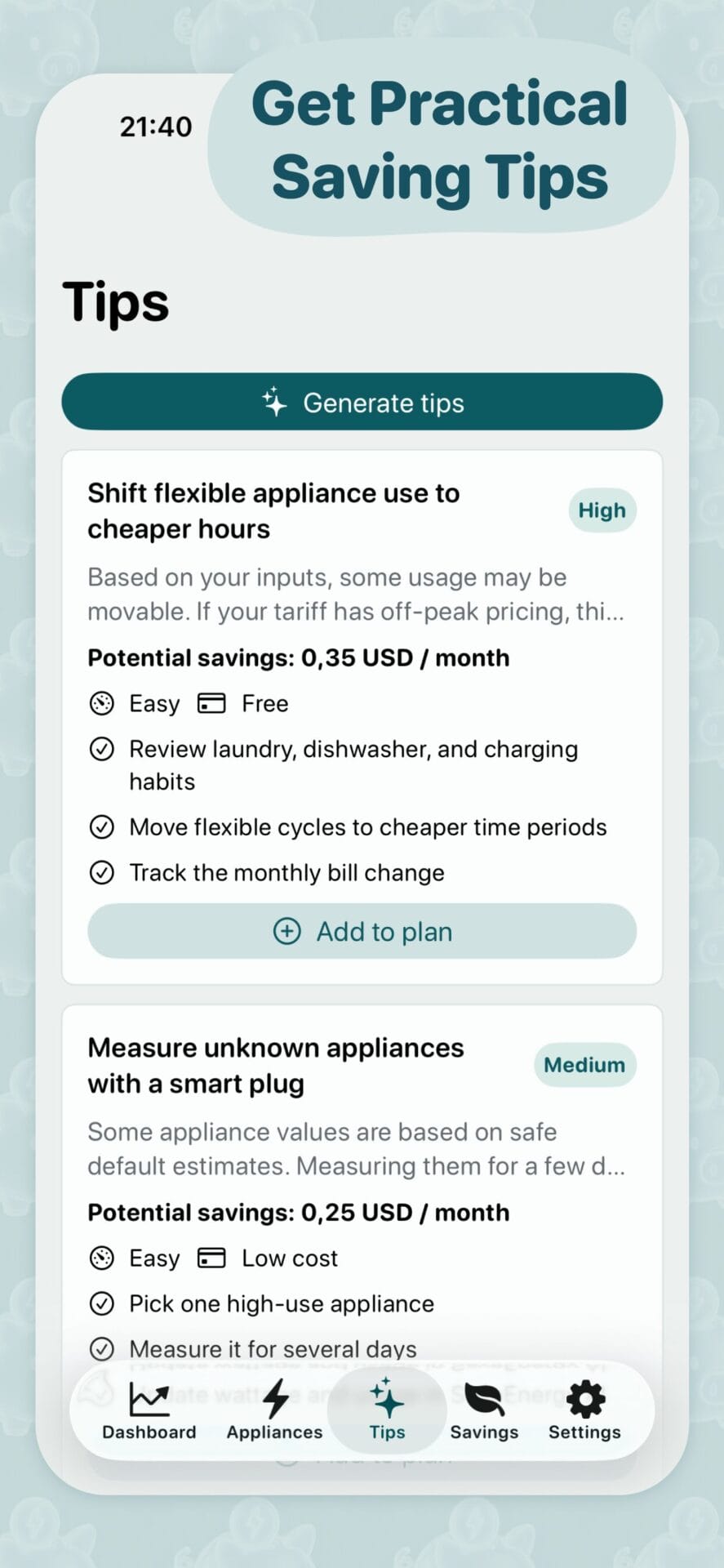
Get clear actions like shifting flexible appliance use, measuring unknown devices, or reviewing heating habits.
Savings plan
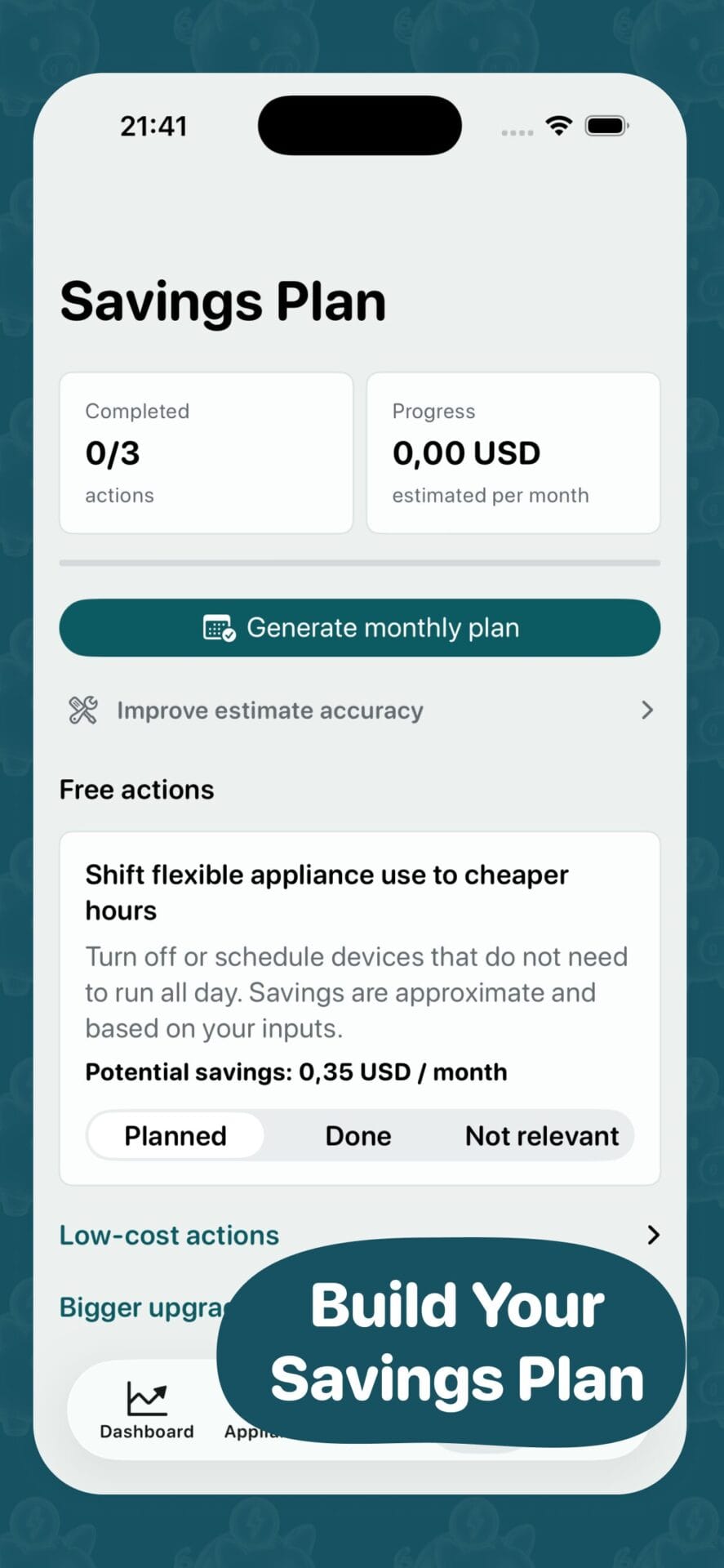
Turn recommendations into planned, done, or not relevant actions and track your monthly progress.
History and details
Keep appliance inputs, confirmed details, savings plan, and cost estimates organized locally.
How it works
From appliance list to savings plan in four steps
Add appliances
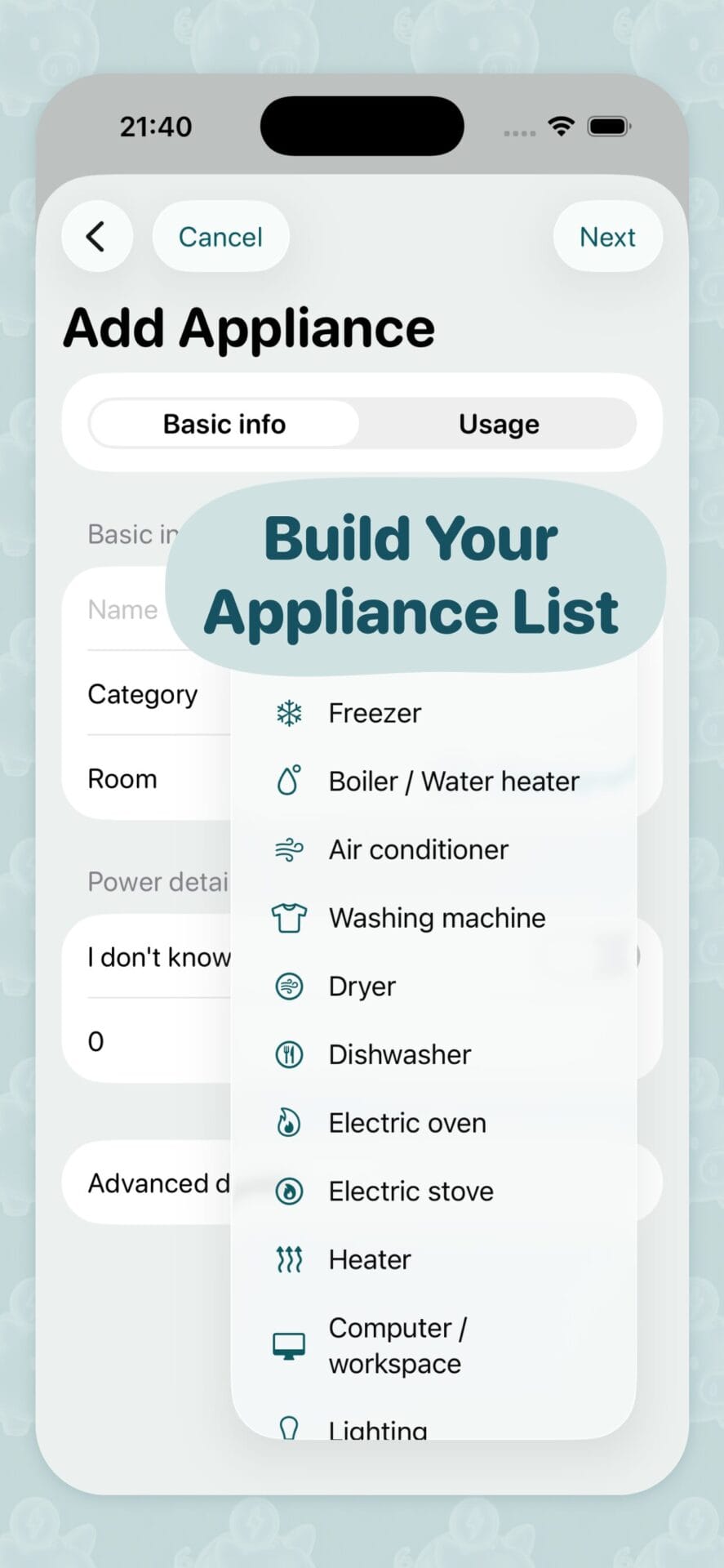
Build your appliance list manually or scan items with AI.
Confirm details
Review room, category, usage, and estimated power values before saving.
See what uses most
Check category, room, monthly kWh, cost, and energy score.
Build your plan
Add practical saving tips to your plan and track completed actions.
Usage insight
See what uses the most energy at home
A clear category breakdown helps you understand where electricity goes each month, which areas cost the most, and where savings actions may have the biggest effect.
- View energy by appliance category.
- Compare estimated kWh and monthly cost.
- Find rooms and habits with the biggest savings potential.
AI scan
Scan appliances and confirm the details
SaveEnergy AI can help you identify appliance details from a photo. You stay in control: review the result, confirm what is correct, and keep your home energy model accurate.
- Add appliances faster with camera or gallery.
- Confirm room, category, and appliance details.
- Improve estimates without complex spreadsheets.
Inside the app
More screens for understanding and reducing energy use
SaveEnergy AI Plus
Unlock a deeper home energy view
Start with simple estimates and appliance tracking. Upgrade when you want more AI scans, more detailed saving plans, advanced appliance history, and deeper cost breakdowns.
Start understanding your energy costs today
Build your appliance list, scan devices with AI, see what uses most, and create a practical plan to reduce waste.