Managing multiple languages on macOS doesn’t have to be a hassle. Whether you’re a professional, student, or creative, switching between languages while typing can disrupt your workflow. macOS provides basic tools, but they often lack the customization and speed you need.
That’s where Type Switch comes in — the ultimate language switcher for macOS, designed to simplify multilingual typing and save you time with instant language switching.
What Makes Type Switch Special?
Type Switch was developed by an Apple enthusiast who was frustrated with the inefficiencies of existing language-switching tools.
Here’s why this app stands out:
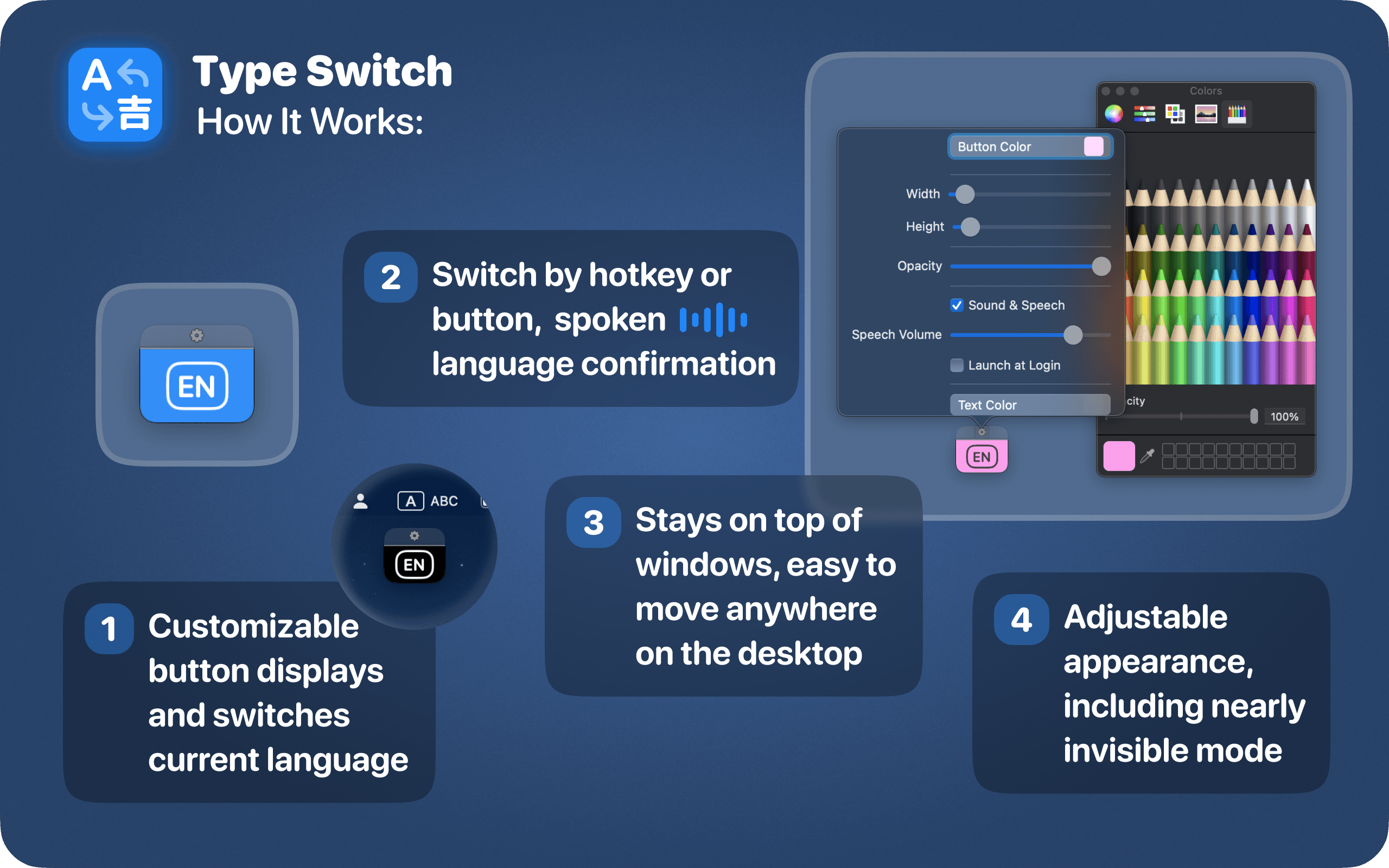
- Effortless Language Switching: Instantly toggle between all languages installed on your macOS.
- Customizable Button: Adjust the size, color, and opacity of the button to fit your workflow and aesthetic.
- Audio and Speech Feedback: Get sound or voice confirmation when switching languages, ensuring you’re always in the right mode.
- Minimalist Design: The floating button with a language image is unobtrusive, giving you a distraction-free experience.
- Always Accessible: Use the hotkey [⌃ Ctrl] for quick language switching, or simply press the button for easy access.
Seamless Multilingual Switching: How Type Switch Improves Writing and Coding Efficiency
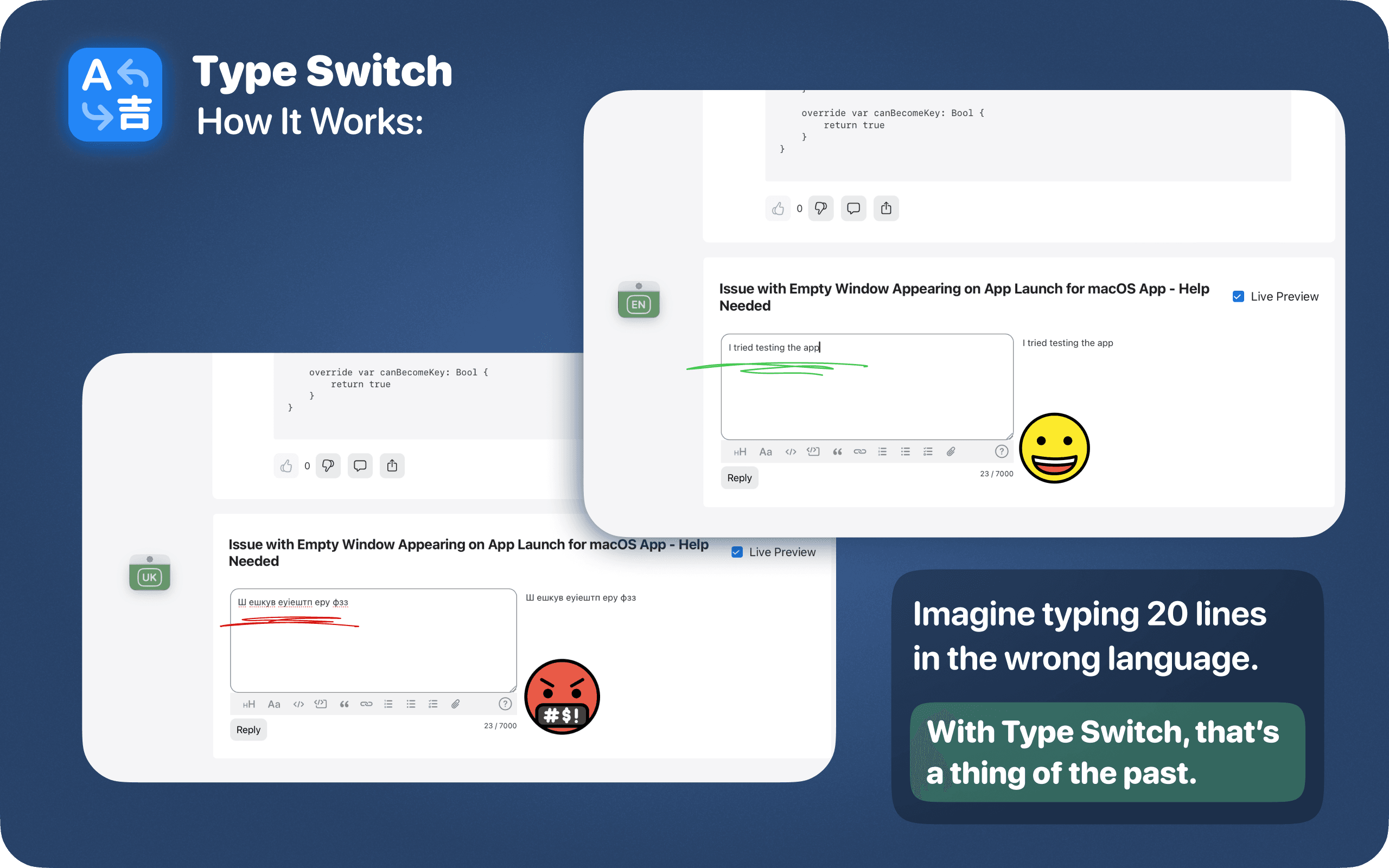
- Writing Multilingual Content. Imagine you’re writing an article or email, and you switch between languages multiple times. One moment, you’re writing in English, and the next, you’re typing in Ukrainian. But when you forget to switch back to the correct language, you end up typing the entire sentence in the wrong script, causing confusion and wasted time. With Type Switch, this never happens. The customizable button and hotkey options ensure you can quickly and accurately change your input language, avoiding those frustrating mistakes.
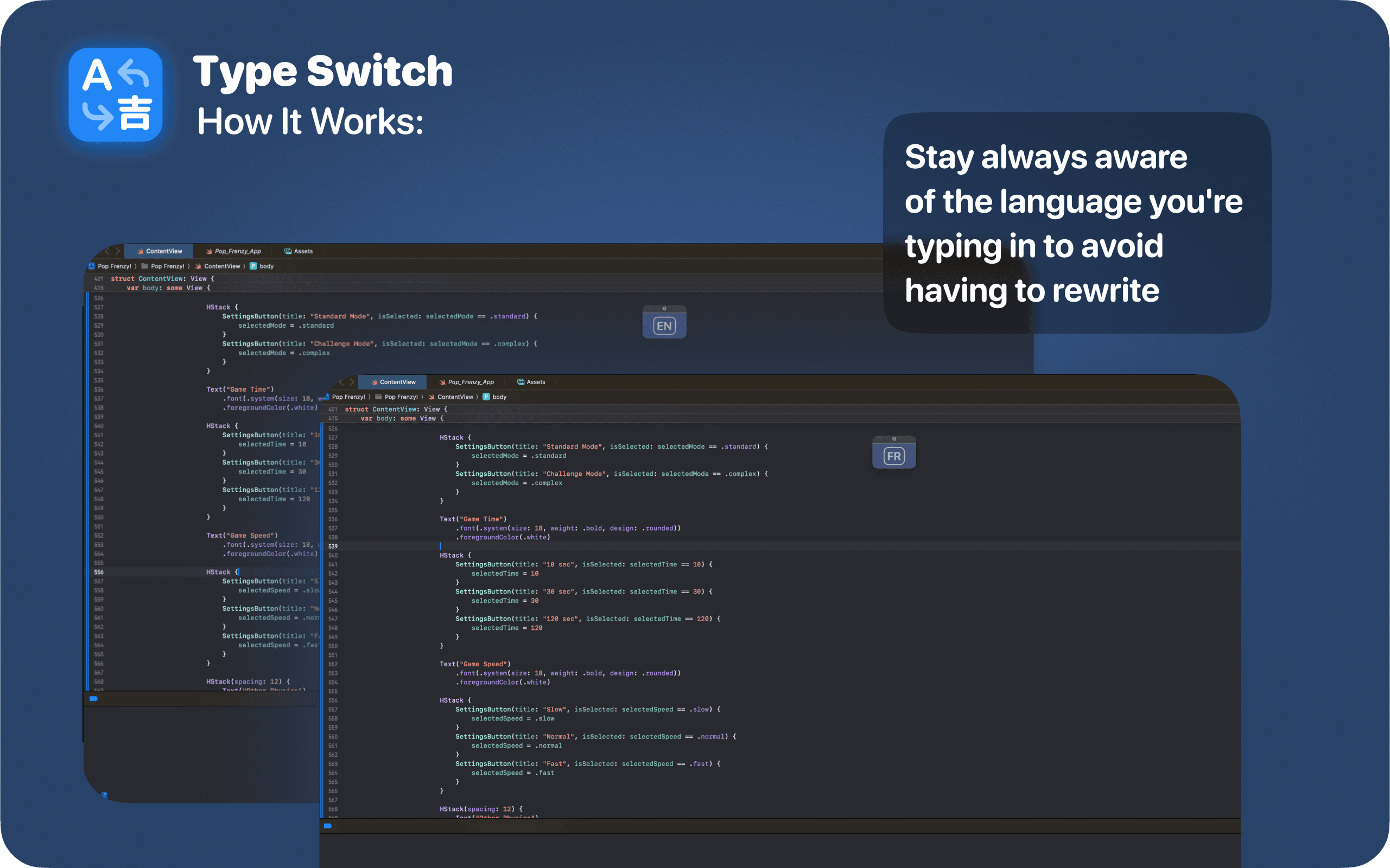
- Programming in Different Languages. Developers often switch between different programming languages and locales when coding. Whether it’s switching to a local language for comments or adjusting to a different keyboard layout for special characters, Type Switch makes this process seamless. The app allows for smooth transitions, so developers can keep their focus on their code without having to worry about language settings.
- Students Writing in Multiple Languages. For students who work with textbooks, assignments, and essays in more than one language, Type Switch is invaluable. It helps students quickly switch between different language modes while typing, making the process of writing essays, taking notes, or completing assignments much smoother. With instant feedback via audio or visual cues, there’s no second-guessing which language you’re using.
- International Business Correspondence. If you handle international business emails or communications in various languages, you know how crucial it is to use the correct language for each message. Type Switch prevents embarrassing mistakes by providing a quick and easy way to toggle between languages. Whether you’re composing an email in English, French, or Spanish, the tool ensures you’re always typing in the right language, streamlining communication with clients and partners.
In conclusion
If you’re constantly switching between languages for work, school, or personal projects, Type Switch is the ultimate language switcher Mac designed to make your life easier. It helps you stay focused and productive by eliminating the hassle of manually changing languages, ensuring your typing is always accurate.
With its intuitive design, customizable features, and thoughtful functionality, Type Switch can redefine your multilingual workflow.
Ready to try it out? Type Switch is now available on the App Store! Download it today and experience the seamless way to switch between languages on macOS with this powerful language switcher Mac.
Download Type Switch: https://apple.co/3ZmYZXH
Read More
[{"id":4680,"link":"https:\/\/typeswitch.net\/blog\/design-tokens-generator\/","name":"design-tokens-generator","thumbnail":{"url":"https:\/\/typeswitch.net\/wp-content\/uploads\/2026\/07\/visualsnag-catch-style-from-website-or-visual-reference.jpg","alt":"catch-style-from-website-or-visual-reference"},"title":"How to Generate Design Tokens From a Website Screenshot","postMeta":[],"author":{"name":"Babenko Maksym","link":"https:\/\/typeswitch.net\/blog\/author\/max-babenko\/"},"date":"\u041b\u0438\u043f 23, 2026","dateGMT":"2026-07-23 08:06:56","modifiedDate":"2026-07-23 08:30:46","modifiedDateGMT":"2026-07-23 08:30:46","commentCount":"0","commentStatus":"closed","categories":{"coma":"<a href=\"https:\/\/typeswitch.net\/blog\/category\/visualsnag\/\" rel=\"category tag\">VisualSnag<\/a>","space":"<a href=\"https:\/\/typeswitch.net\/blog\/category\/visualsnag\/\" rel=\"category tag\">VisualSnag<\/a>"},"taxonomies":{"post_tag":""},"readTime":{"min":6,"sec":34},"status":"publish","content":"Creating a consistent interface is much easier when visual decisions are written down as reusable rules. Those rules are called"},{"id":4524,"link":"https:\/\/typeswitch.net\/blog\/best-language-switcher-macos\/","name":"best-language-switcher-macos","thumbnail":{"url":"https:\/\/typeswitch.net\/wp-content\/uploads\/2024\/11\/Type-Switch-Personalize-Your-Button.png","alt":"Minimalist design of Type Switch app for language changes on macOS."},"title":"Best Language Switcher for macOS in 2026: Type Switch for Multilingual Typing","postMeta":[],"author":{"name":"Babenko Maksym","link":"https:\/\/typeswitch.net\/blog\/author\/max-babenko\/"},"date":"\u0422\u0440\u0430 17, 2026","dateGMT":"2026-05-17 13:47:43","modifiedDate":"2026-05-17 13:56:53","modifiedDateGMT":"2026-05-17 13:56:53","commentCount":"0","commentStatus":"closed","categories":{"coma":"<a href=\"https:\/\/typeswitch.net\/blog\/category\/uncategorized\/\" rel=\"category tag\">Uncategorized<\/a>","space":"<a href=\"https:\/\/typeswitch.net\/blog\/category\/uncategorized\/\" rel=\"category tag\">Uncategorized<\/a>"},"taxonomies":{"post_tag":""},"readTime":{"min":7,"sec":17},"status":"publish","content":"Working with multiple languages on your Mac should feel natural. But for many people, switching keyboard languages is still one"},{"id":4510,"link":"https:\/\/typeswitch.net\/blog\/best-developer-tools-macos-2026\/","name":"best-developer-tools-macos-2026","thumbnail":{"url":"https:\/\/typeswitch.net\/wp-content\/uploads\/2026\/05\/Preview_1_en.jpg","alt":"quick notes app for Mac"},"title":"Best Developer Tools for macOS in 2026: Essential Mac Apps for Coding","postMeta":[],"author":{"name":"Babenko Maksym","link":"https:\/\/typeswitch.net\/blog\/author\/max-babenko\/"},"date":"\u0422\u0440\u0430 17, 2026","dateGMT":"2026-05-17 07:32:59","modifiedDate":"2026-05-17 07:46:13","modifiedDateGMT":"2026-05-17 07:46:13","commentCount":"0","commentStatus":"closed","categories":{"coma":"<a href=\"https:\/\/typeswitch.net\/blog\/category\/uncategorized\/\" rel=\"category tag\">Uncategorized<\/a>","space":"<a href=\"https:\/\/typeswitch.net\/blog\/category\/uncategorized\/\" rel=\"category tag\">Uncategorized<\/a>"},"taxonomies":{"post_tag":""},"readTime":{"min":9,"sec":1},"status":"publish","content":"macOS is still one of the best environments for developers in 2026. You get a Unix-based system, strong hardware, great"},{"id":4402,"link":"https:\/\/typeswitch.net\/blog\/confluence-public-links-alternative\/","name":"confluence-public-links-alternative","thumbnail":{"url":"https:\/\/typeswitch.net\/wp-content\/uploads\/2026\/05\/Confluence-public-links-alternative.png","alt":"Illustration showing Confluence pages published to the public web with Public Pages for Confluence"},"title":"Confluence Public Links Alternative: Publish Pages with SEO, Branding and Custom Domains","postMeta":[],"author":{"name":"Babenko Maksym","link":"https:\/\/typeswitch.net\/blog\/author\/max-babenko\/"},"date":"\u0422\u0440\u0430 8, 2026","dateGMT":"2026-05-08 16:02:11","modifiedDate":"2026-05-08 17:59:18","modifiedDateGMT":"2026-05-08 17:59:18","commentCount":"0","commentStatus":"closed","categories":{"coma":"<a href=\"https:\/\/typeswitch.net\/blog\/category\/atlassian\/\" rel=\"category tag\">Atlassian<\/a>","space":"<a href=\"https:\/\/typeswitch.net\/blog\/category\/atlassian\/\" rel=\"category tag\">Atlassian<\/a>"},"taxonomies":{"post_tag":""},"readTime":{"min":7,"sec":27},"status":"publish","content":"By Maksym Babenko \u00b7 ~5 min read \u00b7 May 8, 2026 Confluence public links are useful when you need to share a page"}]